
Review your first contract
With Risk Review, CASUS reviews a contract from your party's point of view and suggests changes. For each suggestion, you decide whether to take it.
At a glance
- The Severity filter shows you the most important points first.
- To check against your own standard, use Benchmark. For references, definitions and numbering, use Proofread.
- If you cancel, the suggestions so far are kept.
- In the browser, a PDF's original stays unchanged. Instead of Apply directly, the button there says Add comment.
How it works
- 1Click Review in the sidebar, then Risk Review.
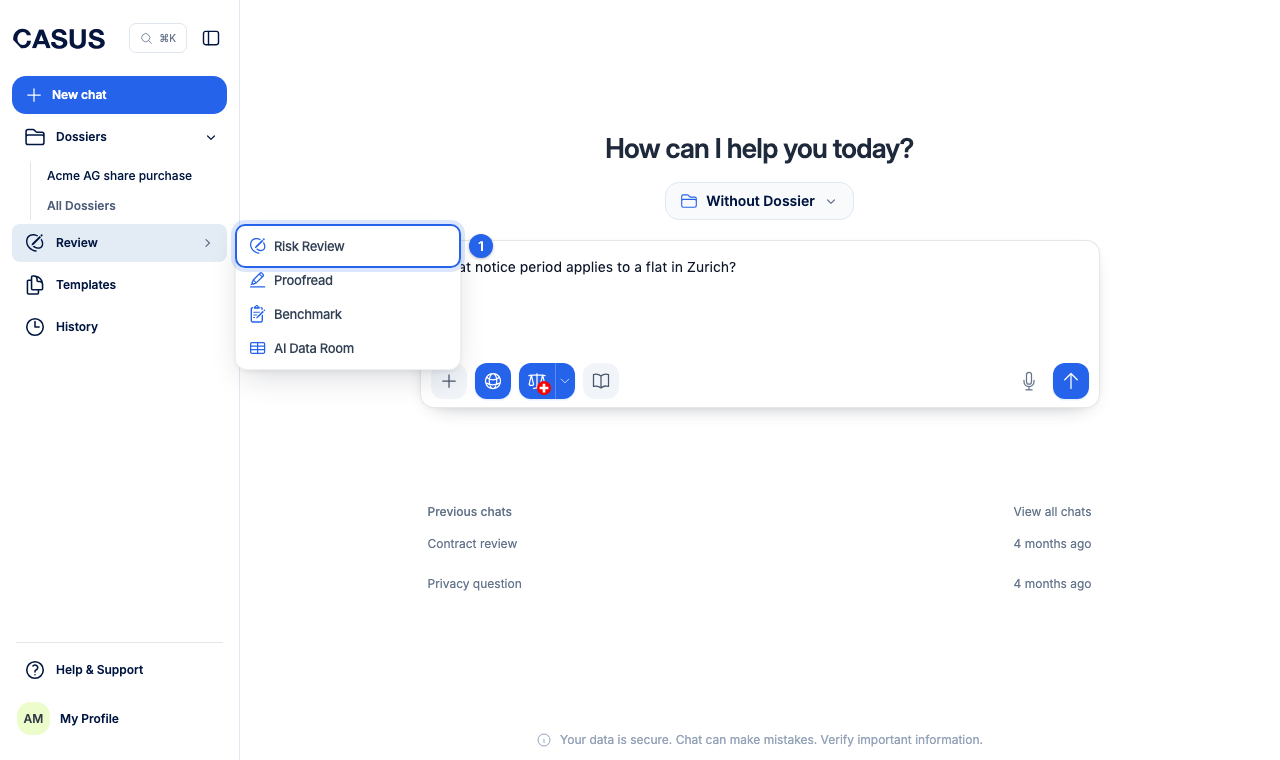
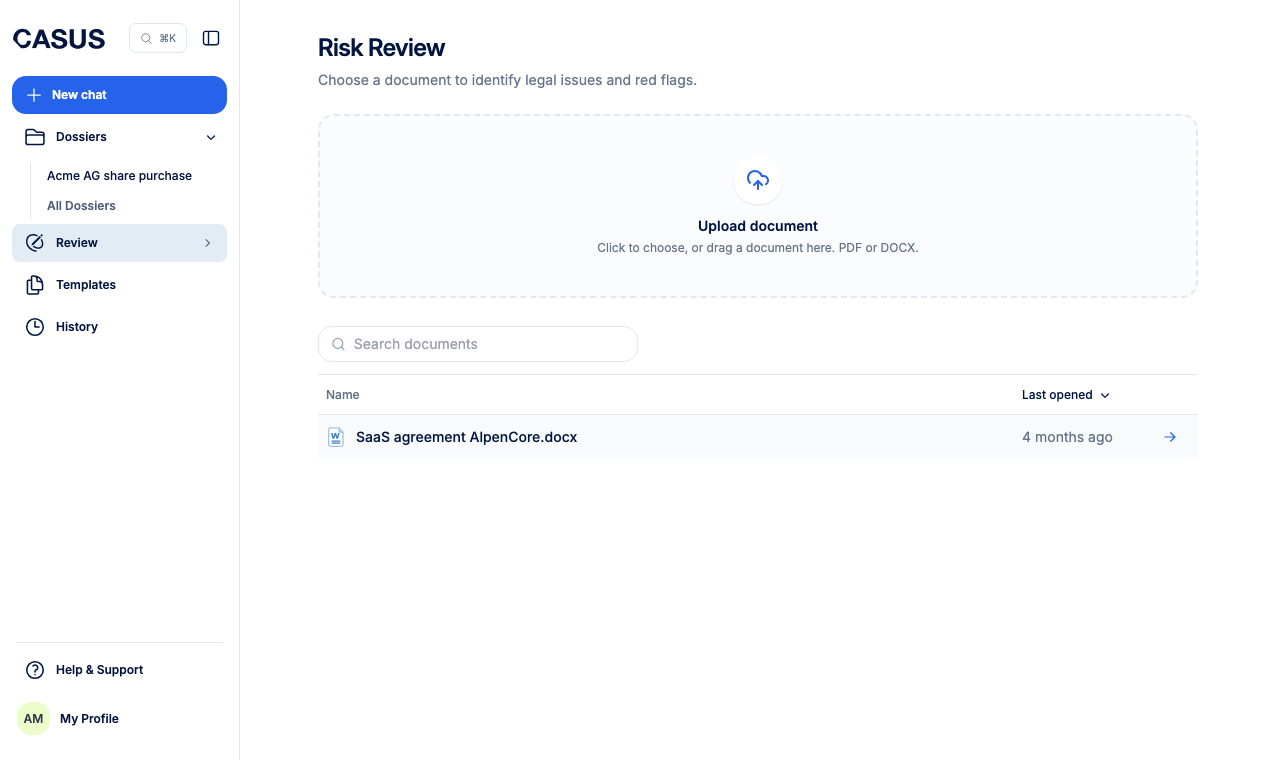
- 2Upload the contract as PDF or DOCX, or pick a document from the list.
- 3Choose the party you act for. CASUS detects the parties from the document. Under Context (optional), write what matters to you.
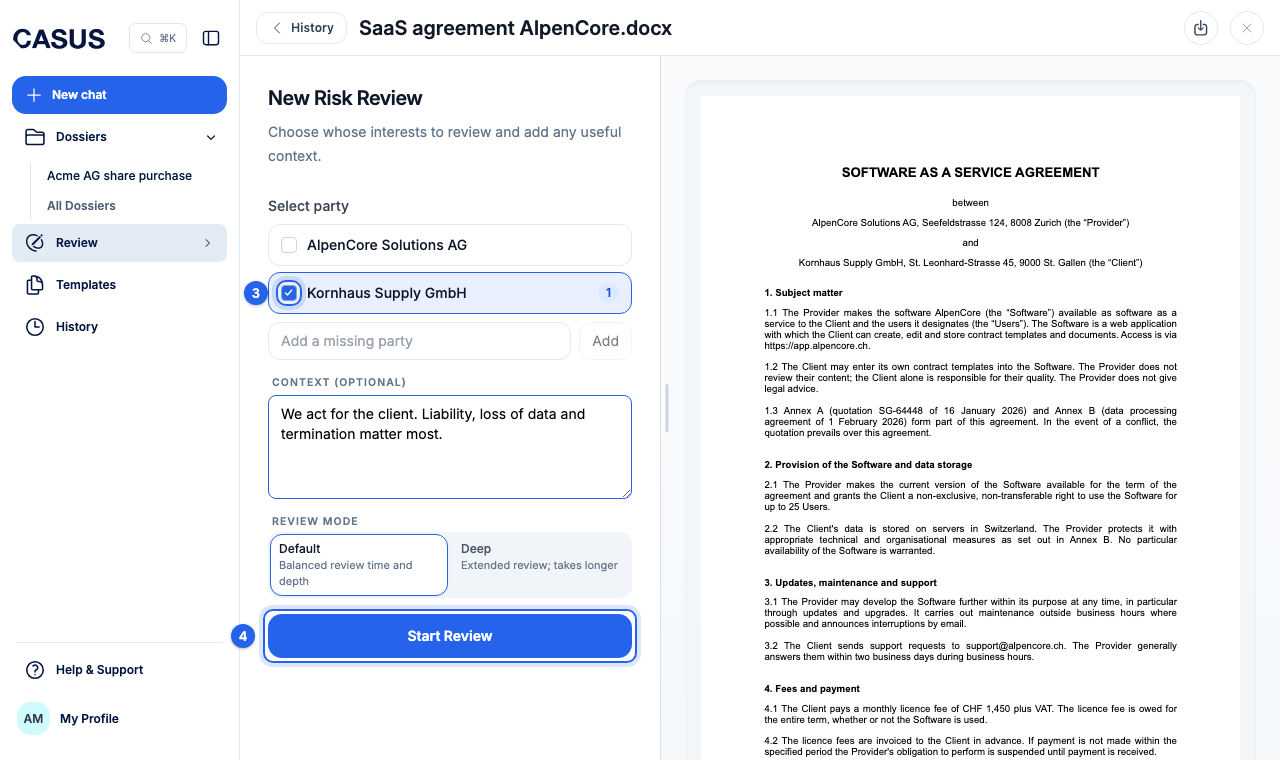
- 4Click Start Review. Long contracts take a few minutes, and you can keep working in the meantime.
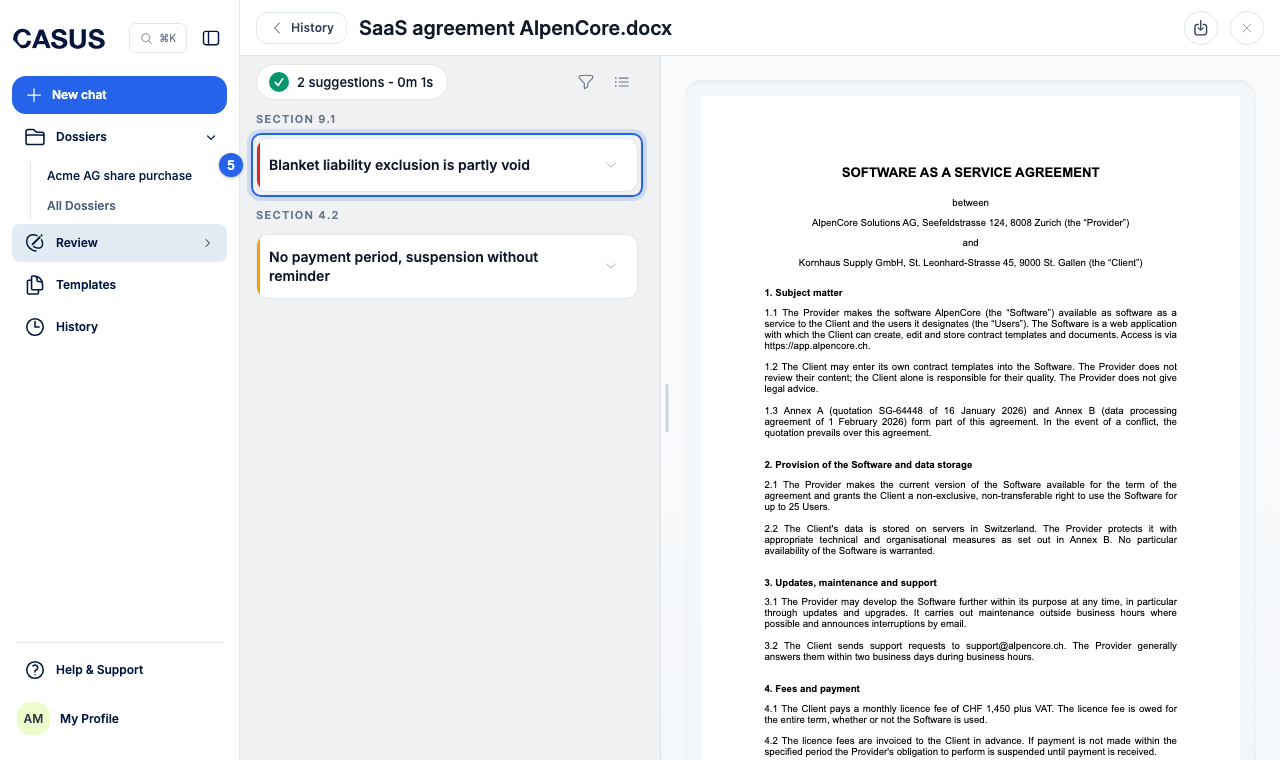
- 5Go through the suggestions. Apply directly takes a suggestion, Dismiss leaves it out, Locate jumps to the place in the contract.
- 6Download the contract with your changes.
If it doesn't work
If the suggestions don't fit your role, start the review again, choose the right party and add context. If the contract won't upload, check its format and size.
This might help too
Still have questions?
Email us: contact@getcasus.com