
Add your letterhead, logo and Office templates
Add your letterhead, logo and Office templates under Templates. New documents from the Dossier chat then look like your own.
At a glance
- If no layout template is there, CASUS asks before it uses a neutral design.
- Up to 20 MB per file.
- Layout templates are new and not yet switched on in every workspace.
How it works
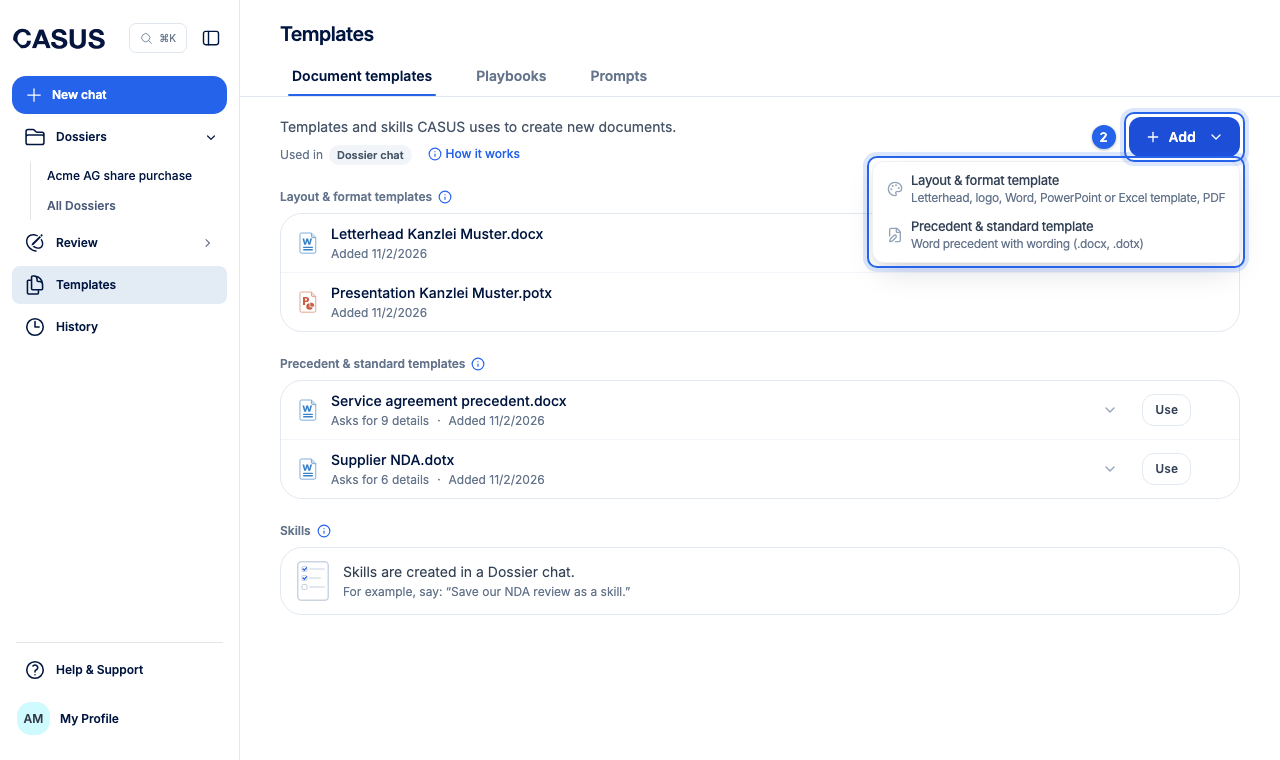
- 1Open Templates in the sidebar and the Document templates tab.
- 2Click Add at the top right, choose Layout & format template and upload your letterhead, logo or templates for Word, PowerPoint or Excel.
- 3Ask for a new document in the Dossier chat. CASUS uses your layout.
If it doesn't work
If a document doesn't look as expected, send us the template and we'll look at it with you.
This might help too
Still have questions?
Email us: contact@getcasus.com