
Share a Dossier with your team
Only you see a new Dossier at first. With Share you give access to specific people in your team or to the whole team. Anyone with access works in the Dossier with you. Your chats in the Dossier stay private.
At a glance
- You can share only within your team.
- Anyone with access can edit the Dossier. Only its owner can manage access, transfer ownership or delete the Dossier.
- To stop sharing, choose Private and save. People added one by one can also click Leave dossier themselves.
- Copy link gives nobody access. The link opens the Dossier only for people who already have access.
How it works
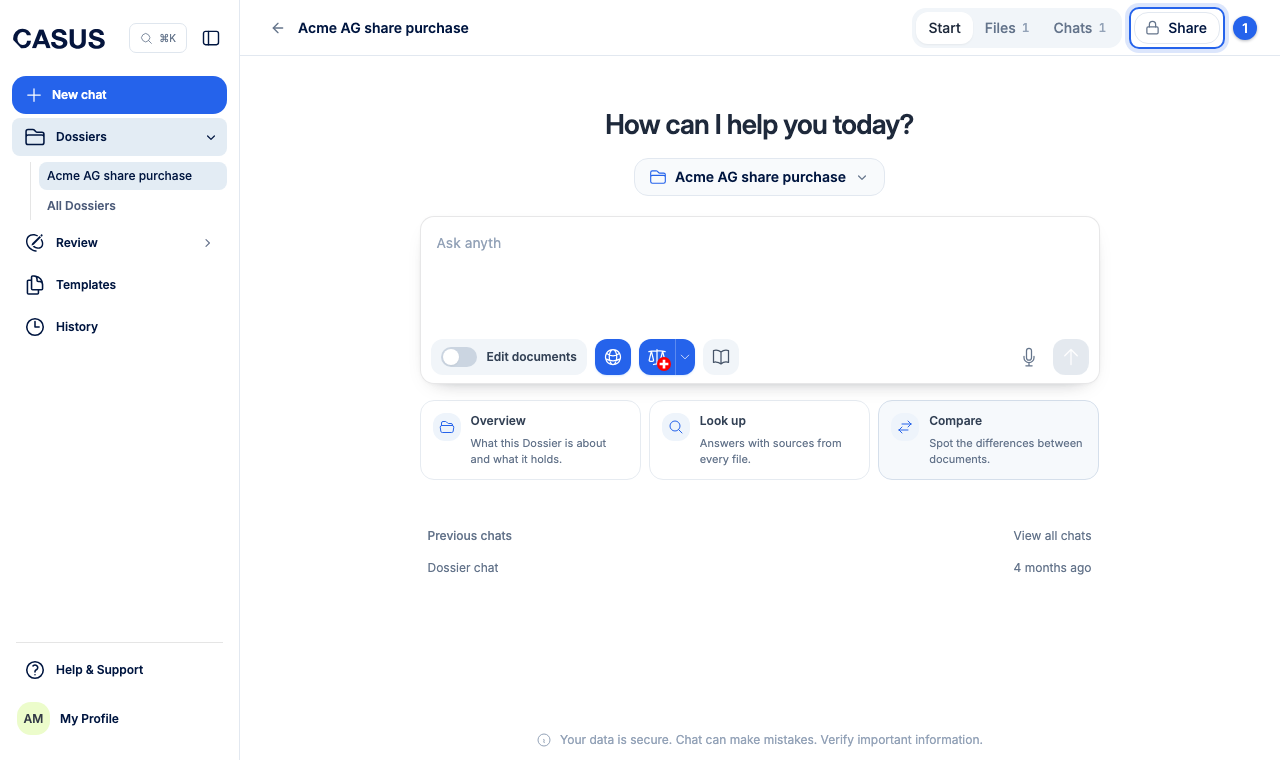
- 1Open the Dossier and click Share at the top.
- 2Under General access, choose Specific people and tick your colleagues. Or choose Everyone in with your team's name; then everyone who joins later sees it too.
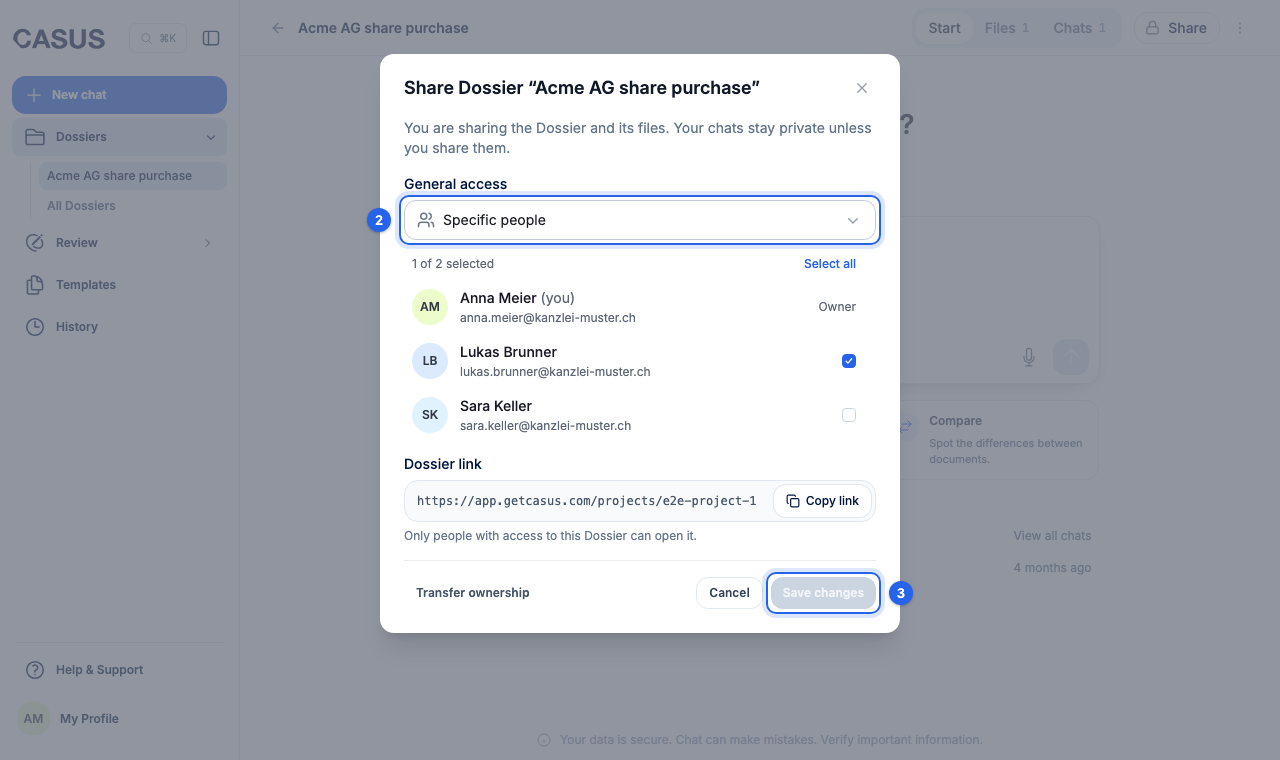
- 3Click Save changes.
If it doesn't work
If the window says the Dossier belongs to an earlier workspace, you can keep working in it but can't share it with your current team. Create a new Dossier and upload the files there.
This might help too
Still have questions?
Email us: contact@getcasus.com