
Create templates for your team
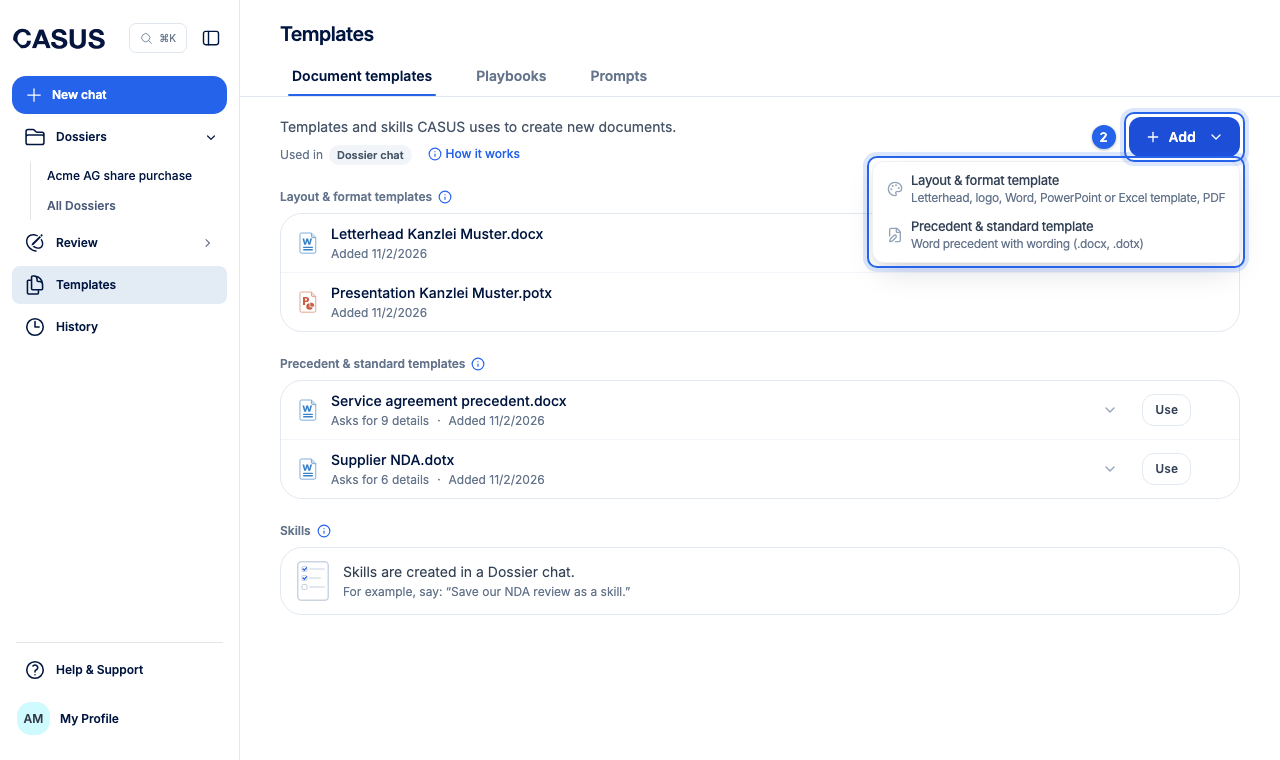
Upload your precedents and standard templates under Templates. The whole team then sees them, and CASUS can use them when drafting.
At a glance
- Up to 20 MB per file, and up to 500 files or 200 MB in total.
- Whoever added a file, and any admin, can replace, rename or remove it.
How it works
- 1Open Templates in the sidebar and the Document templates tab.
- 2Click Add at the top right and choose Precedent & standard template, or drag the files into the window. DOCX and DOTX work here.
- 3CASUS detects the fields needed for filling in and shows them.
- 4If something is wrong, have the fields detected again.
If it doesn't work
If the library is full, remove old templates you no longer need.
This might help too
Still have questions?
Email us: contact@getcasus.com