
Set up two-factor sign-in
With two-factor sign-in you need a six-digit code from an authenticator app as well as your password. That keeps out anyone who only knows your password.
At a glance
- CASUS uses authenticator apps only, no SMS.
- To switch it off you sign in again for safety. If your organisation requires two-factor sign-in, it can't be switched off.
- Security is also where you sign out on all devices.
How it works
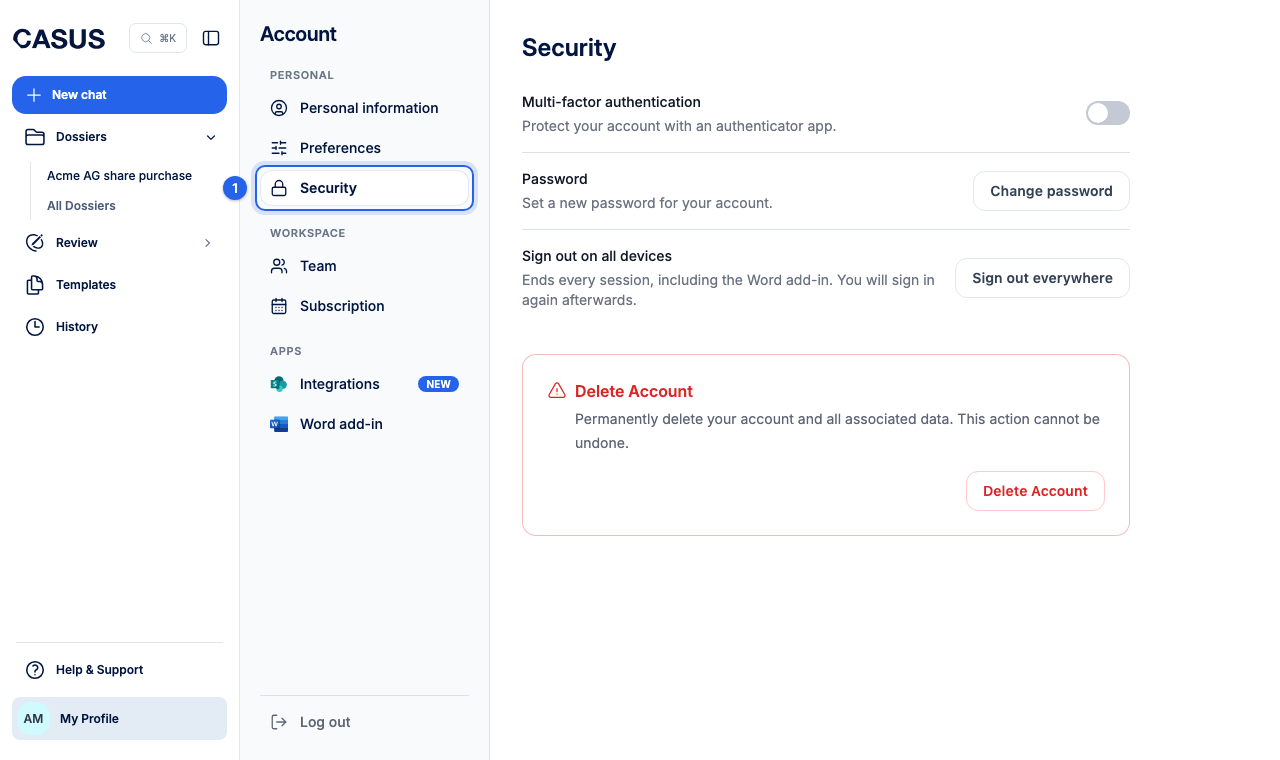
- 1In CASUS, open your account and, under Personal, the Security page.
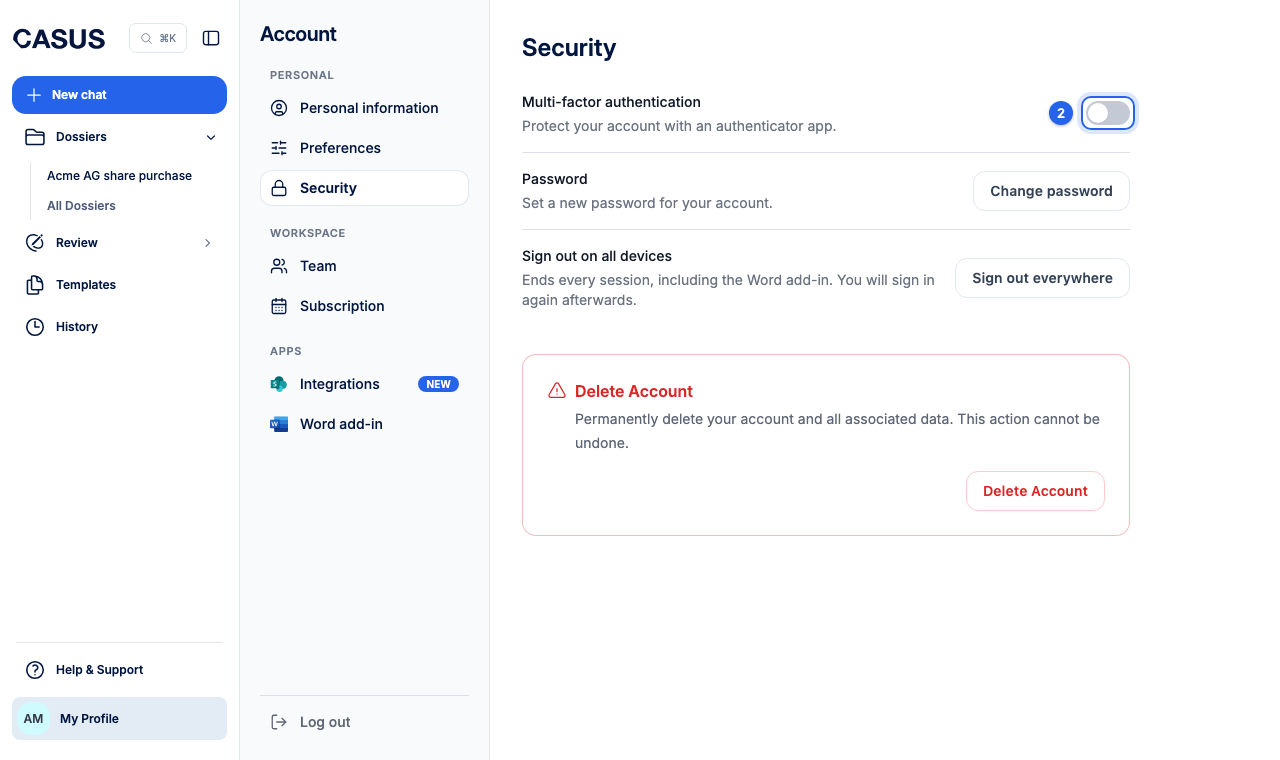
- 2Turn on the switch next to multi-factor authentication. Your email address must be confirmed.
- 3Scan the QR code with your authenticator app, such as Microsoft Authenticator or Google Authenticator, or set it up manually.
- 4Enter the current code from the app and enable MFA.
If it doesn't work
If you lost the phone with the app, there are no backup codes. Write to us from your email address and we'll reset two-factor sign-in after a check.
This might help too
Still have questions?
Email us: contact@getcasus.com