
AI Data Room: compare many documents in a table
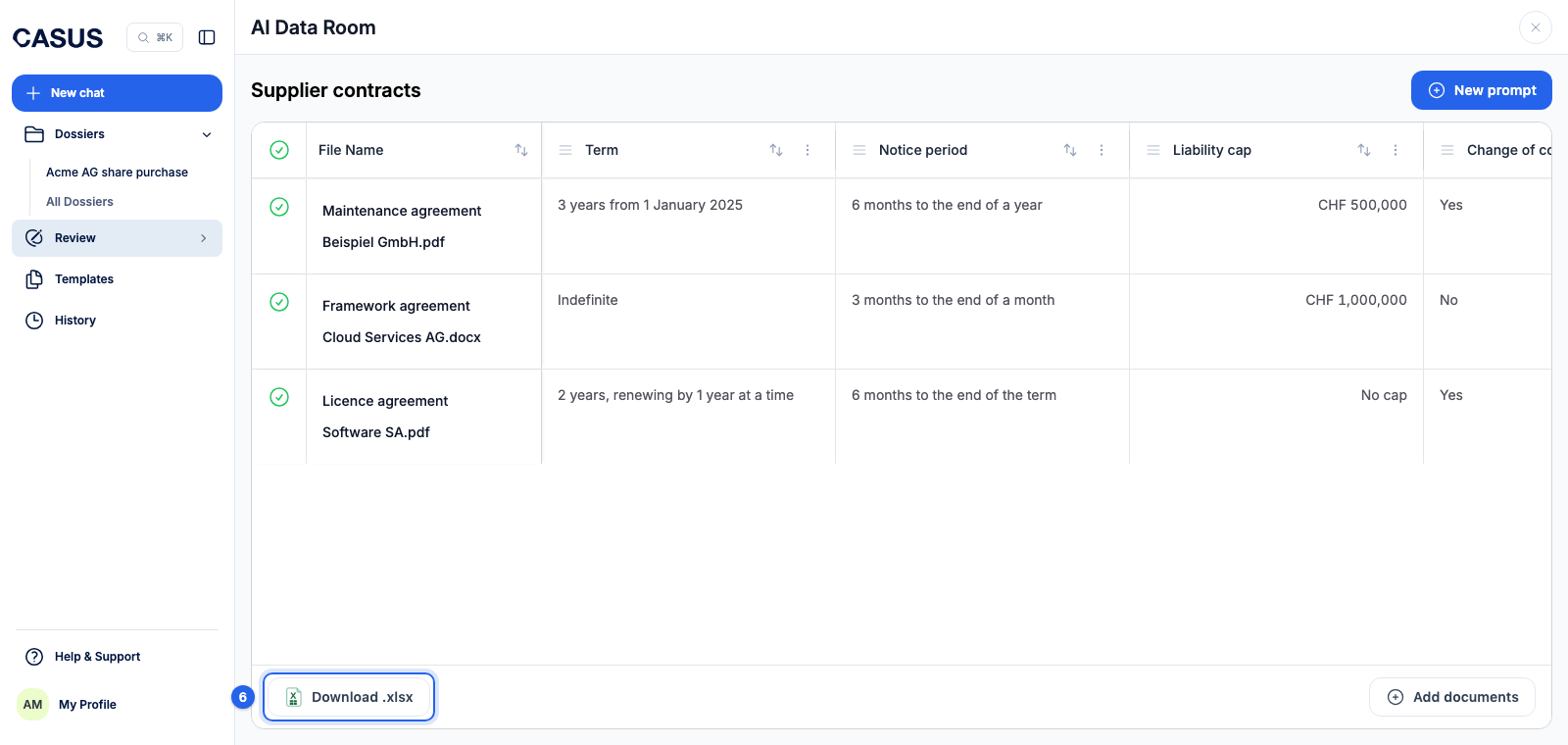
In the AI Data Room you upload many contracts and ask questions that become table columns. CASUS answers every question for every document, so you compare everything in one table.
At a glance
- You add more documents with Add documents.
- The cells show the answer but no source. Check important values in the document.
- You find your Data Rooms under History. You can't share them with the team.
How it works
- 1Click Review in the sidebar, then AI Data Room.
- 2Enter a name, or leave it empty and CASUS uses the first file name.
- 3Upload the documents as PDF or DOCX.
- 4Click New prompt, give the column a title, write the question and choose the Result type: Text, Date, Number, Yes/No or Currency.
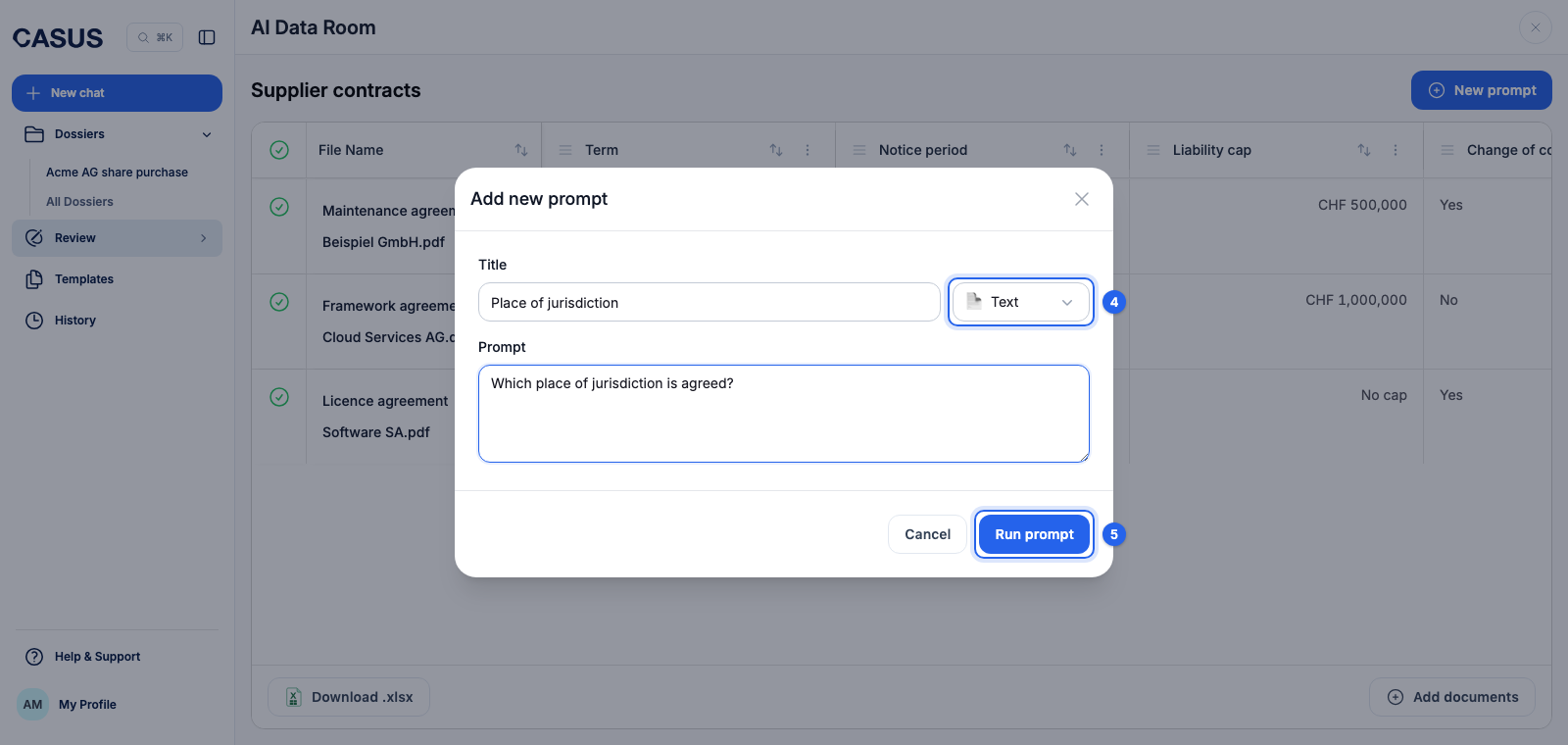
- 5Click Run prompt. CASUS fills the column for all documents.
- 6Download the table as Excel with Download .xlsx.
If it doesn't work
If an answer is unclear, ask a narrower question and choose the fitting result type, such as Yes/No instead of text.
This might help too
Still have questions?
Email us: contact@getcasus.com