
Set AI instructions and an overview for a Dossier
AI instructions tell CASUS how to work in this Dossier, such as which party you act for or which language to answer in. They apply to every new chat in the Dossier. The overview describes the matter for you and your team.
At a glance
- Good instructions say whom you act for, which law applies and how the answers should sound.
- New instructions apply only to new chats. Existing chats keep working with the old ones.
- The overview does not go into the answers. It is meant for people.
- You can set both when you create the Dossier.
How it works
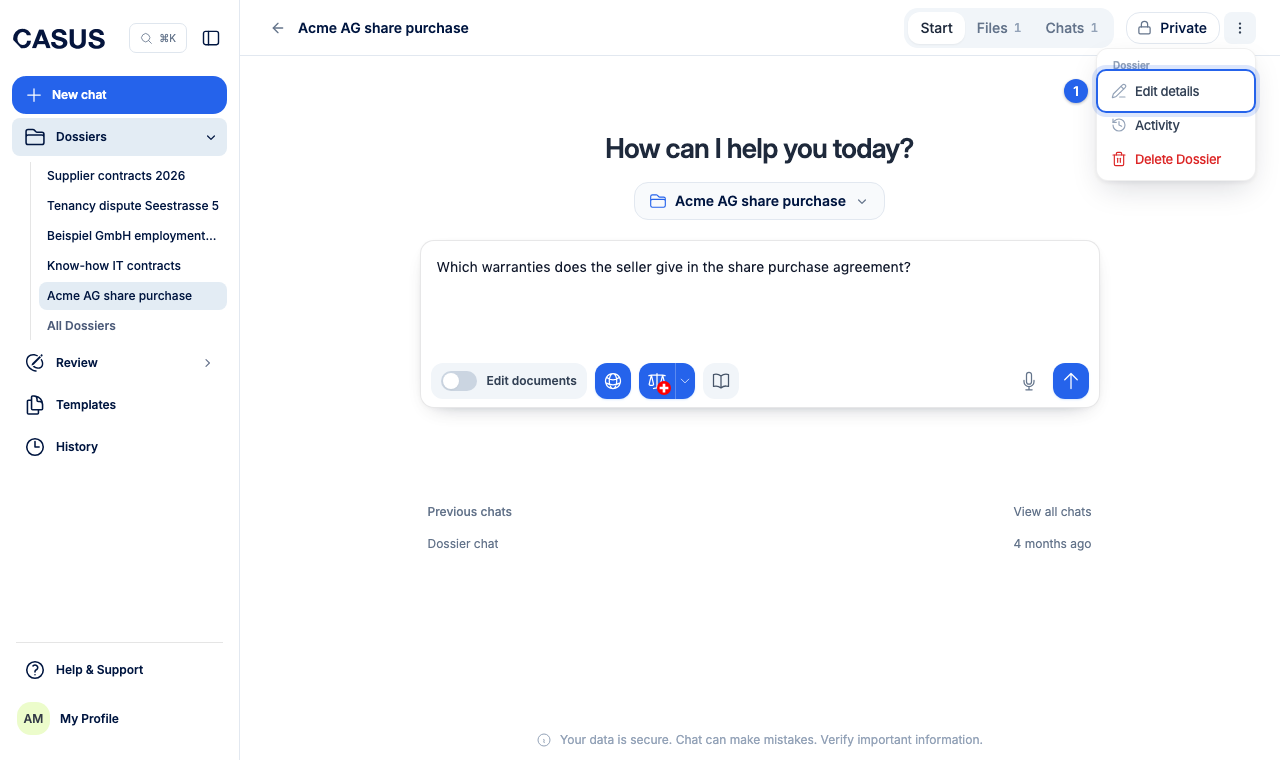
- 1In the Dossier, open the menu and click Edit details.
- 2Under AI instructions, write what CASUS should always keep in mind.
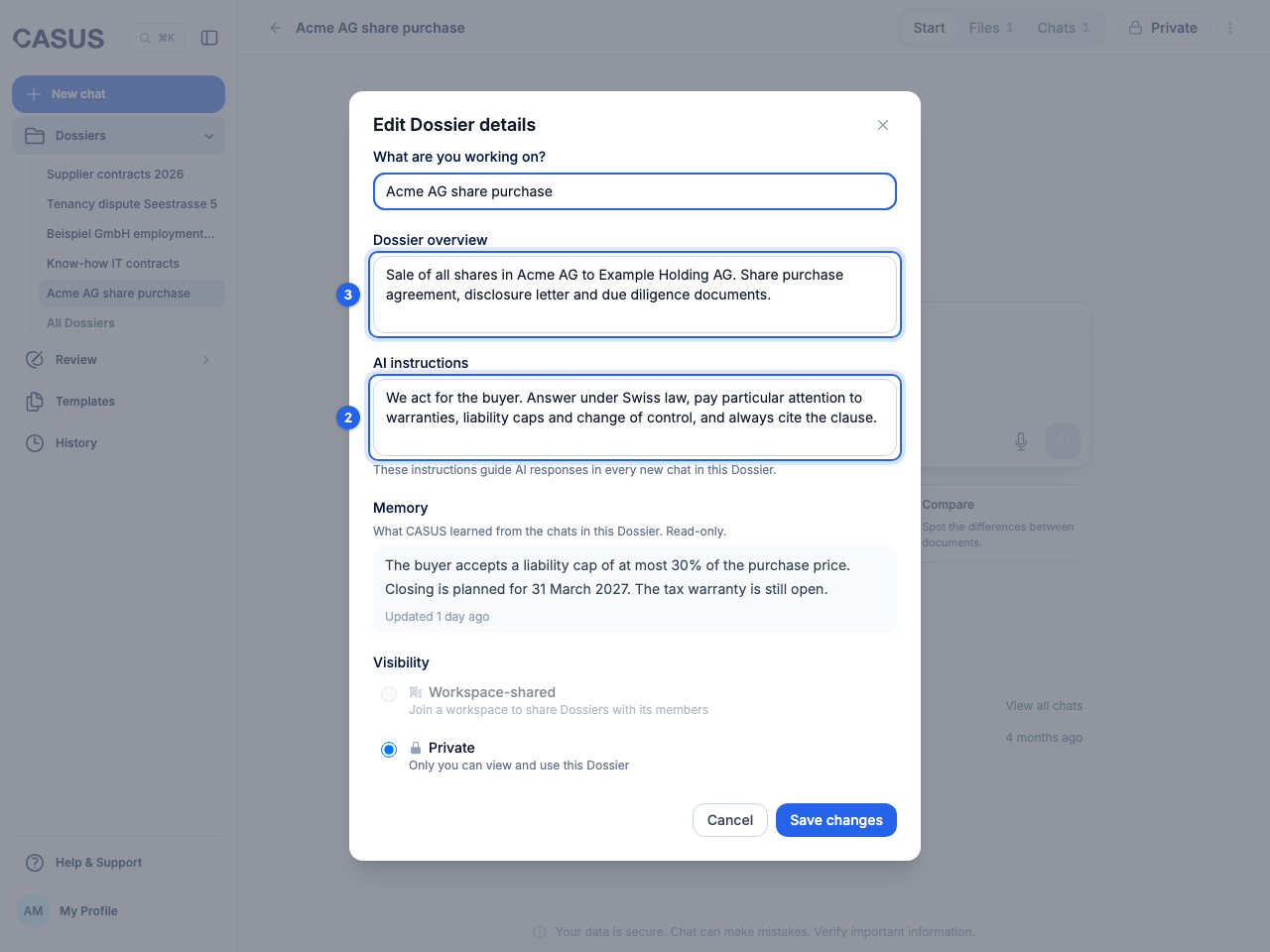
- 3Under Dossier overview, sum up the matter in a few sentences and save.
If it doesn't work
If a chat doesn't follow new instructions, start a new chat under Start.
This might help too
Still have questions?
Email us: contact@getcasus.com