
Work with a Dossier's memory
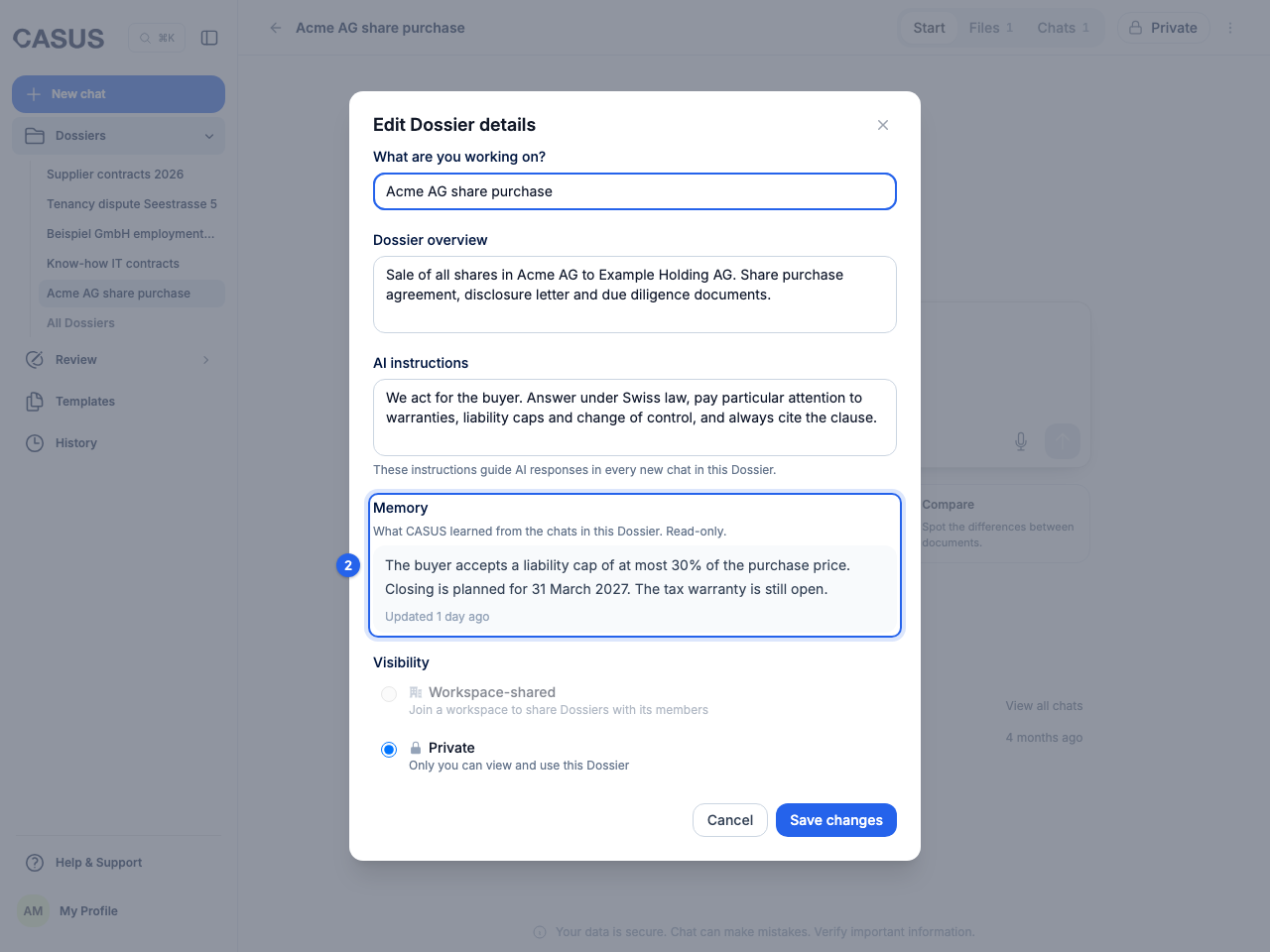
The memory sums up what CASUS has learned from a Dossier's chats, such as parties, deadlines or decisions taken. CASUS fills it itself, and every new question in the Dossier uses it.
At a glance
- The memory appears after a few chats and updates itself.
- It uses the chats of the Dossier's owner and chats shared with the whole Dossier. Other people's private chats and chats with attachments are left out.
- Everyone with access to the Dossier sees the memory.
- You can't edit it or delete single entries. Put anything that should always apply into the AI instructions.
How it works
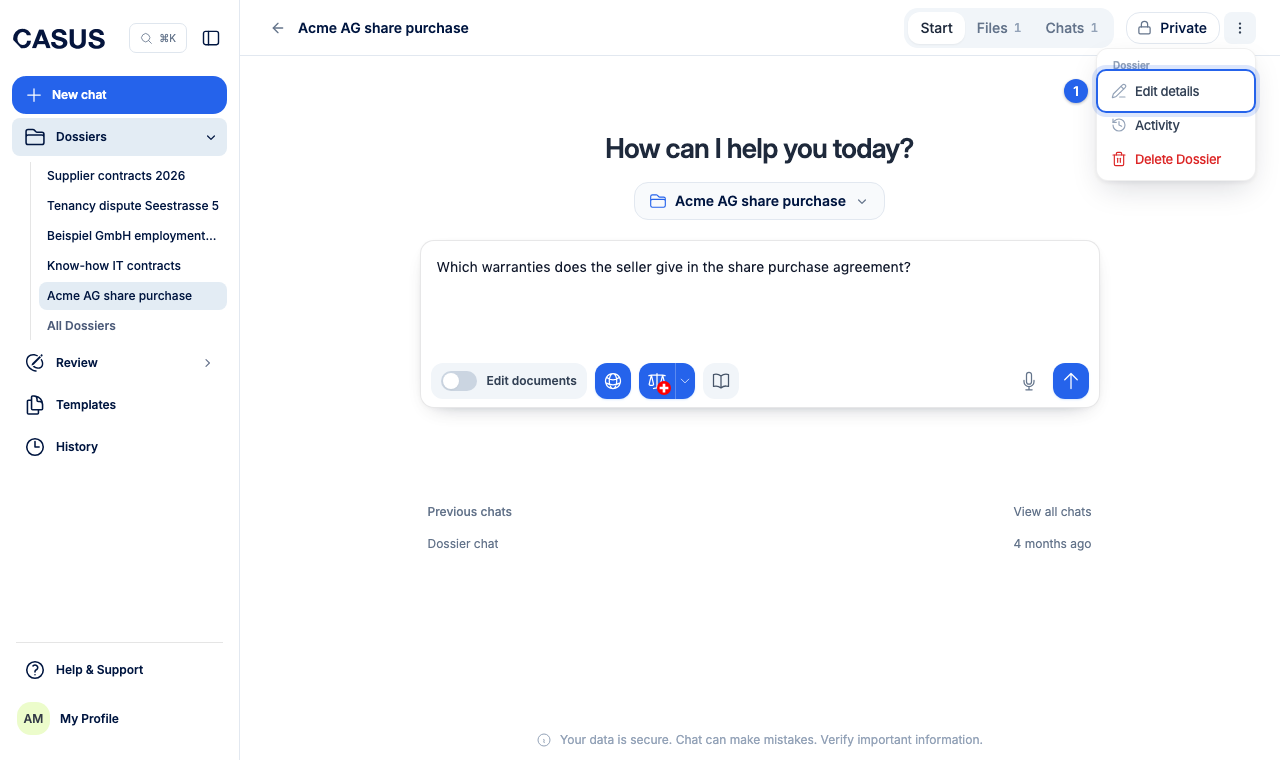
- 1In the Dossier, open the menu and click Edit details.
- 2Under Memory you see what CASUS has kept and when it was last updated.
If it doesn't work
If it says “Dossier memory will show here after a few chats”, the Dossier doesn't have enough chats yet. If a wrong detail stays, write to us.
This might help too
Still have questions?
Email us: contact@getcasus.com