
Delete your account
If you work in a workspace, you don't delete your account on its own. Either an admin removes you from the team, or an admin closes the whole workspace. That deletes all data and every member's sign-in.
At a glance
- The closure takes effect at the end of the trial or the paid period. If that has already passed, it takes effect at once.
- We then keep the data for 7 more days, in case the closure was a mistake. After that we delete everything for good.
- CASUS creates no export first. Save whatever you want to keep yourself.
How it works
- 1In CASUS, open your account and, under Personal, the Security page.
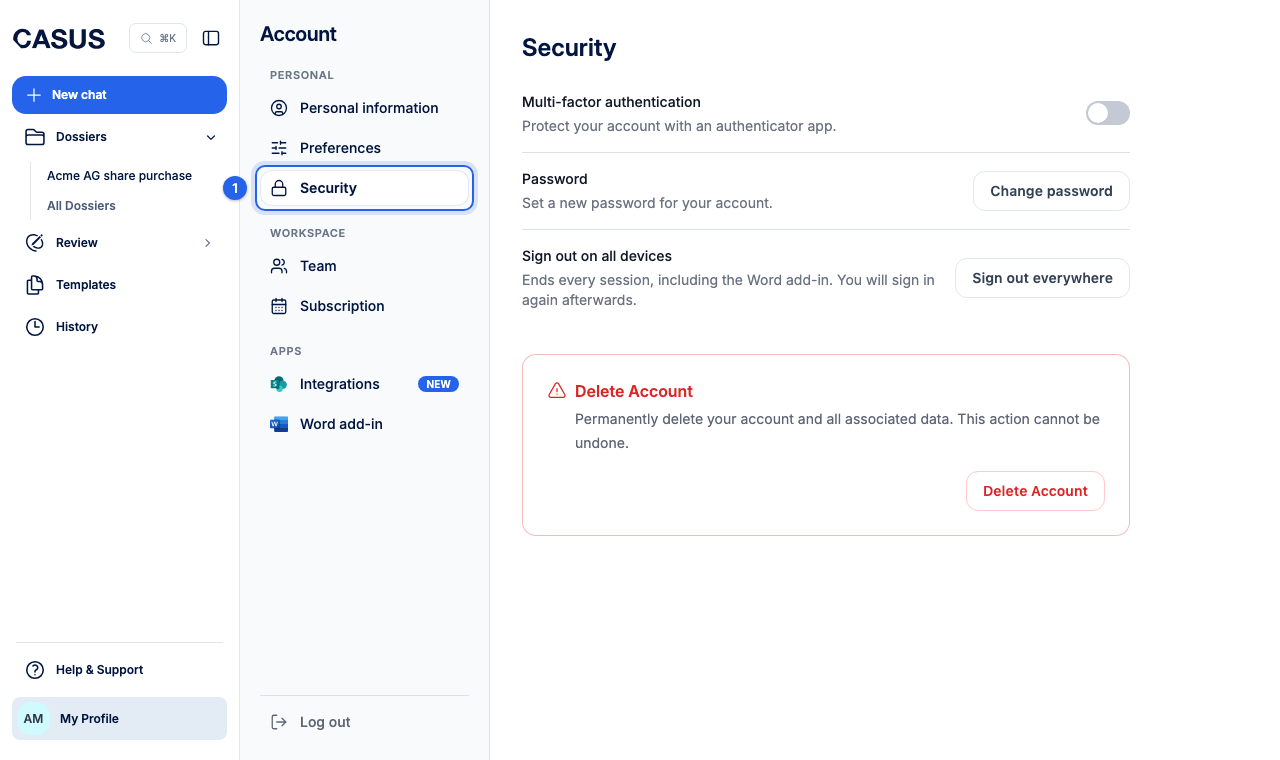
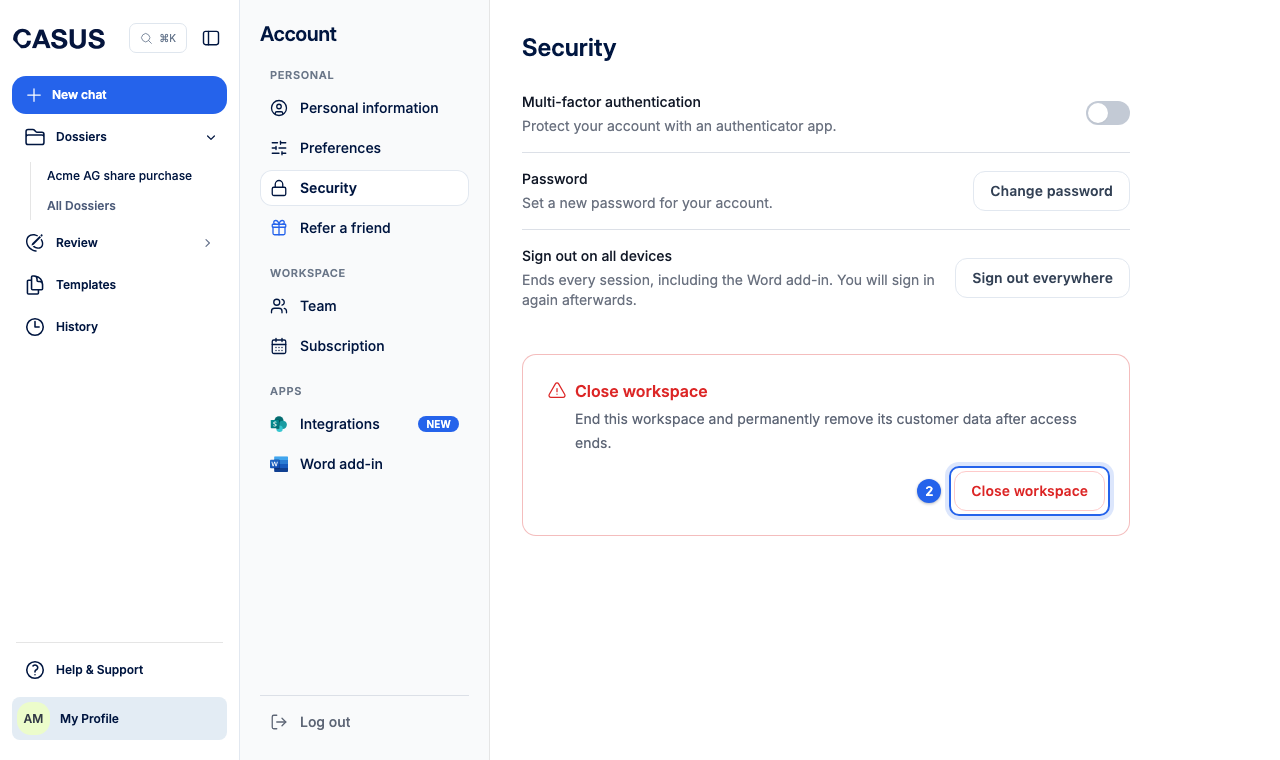
- 2Click Close workspace. Only admins see this button.
- 3Tick the three notes and type the name of the workspace.
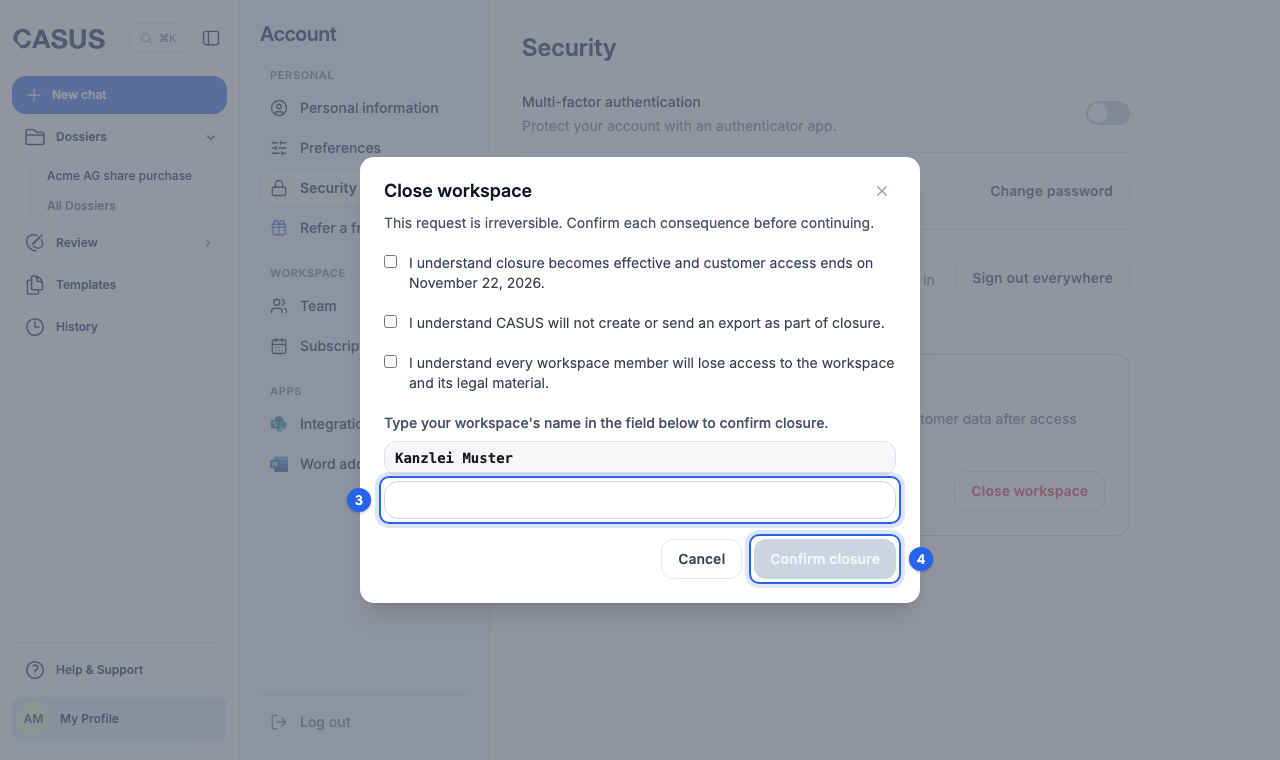
- 4Sign in once more for safety and click Confirm closure.
If it doesn't work
If you are not an admin, ask an admin to remove you from the team. If you have an older account without a workspace, Security shows a Delete Account button. If the closure was a mistake, write to us within 7 days.
This might help too
Still have questions?
Email us: contact@getcasus.com