
Manage invoices and payment method
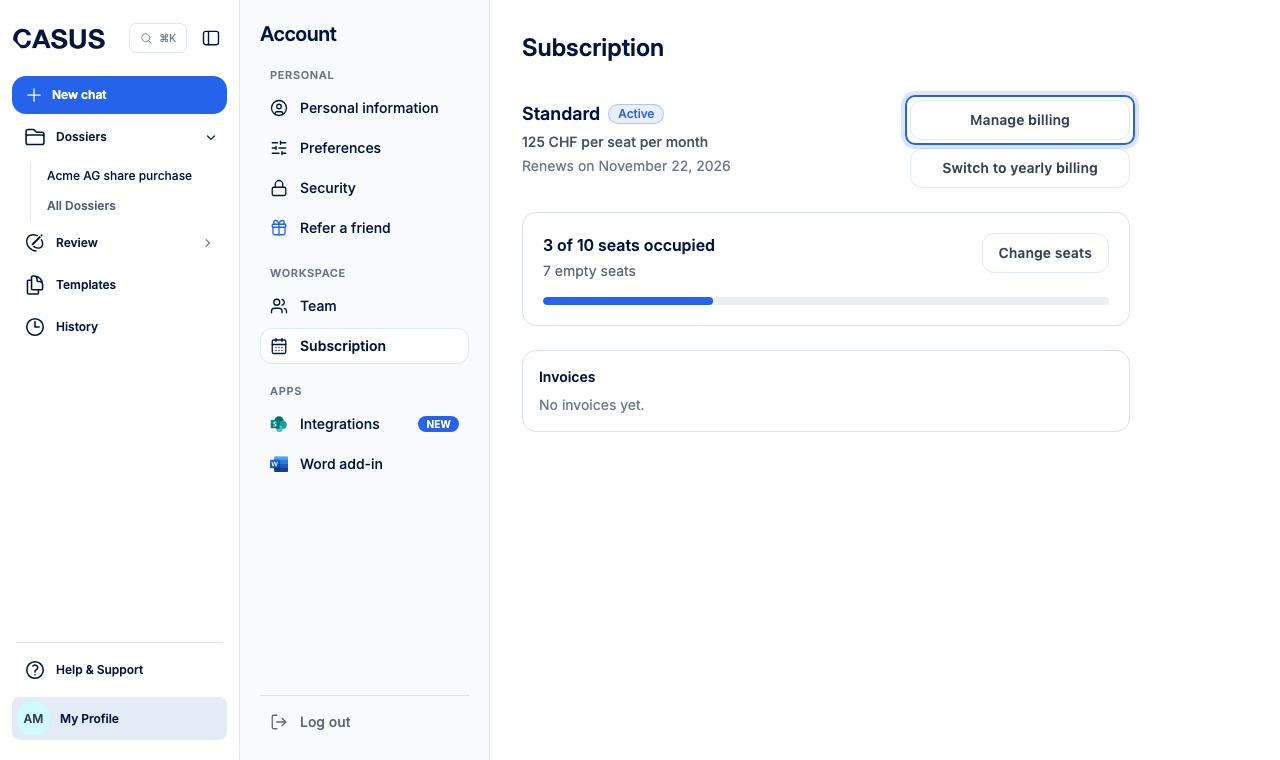
As an admin, you find your invoices under Subscription. You change the payment method, billing address and VAT number through Manage billing in Stripe's customer portal.
At a glance
- Only admins see invoices and payment details.
- If you pay by invoice, it says Invoiced. Billing then runs through your organisation and us.
How it works
- 1In CASUS, open your account and, under Workspace, the Subscription page.
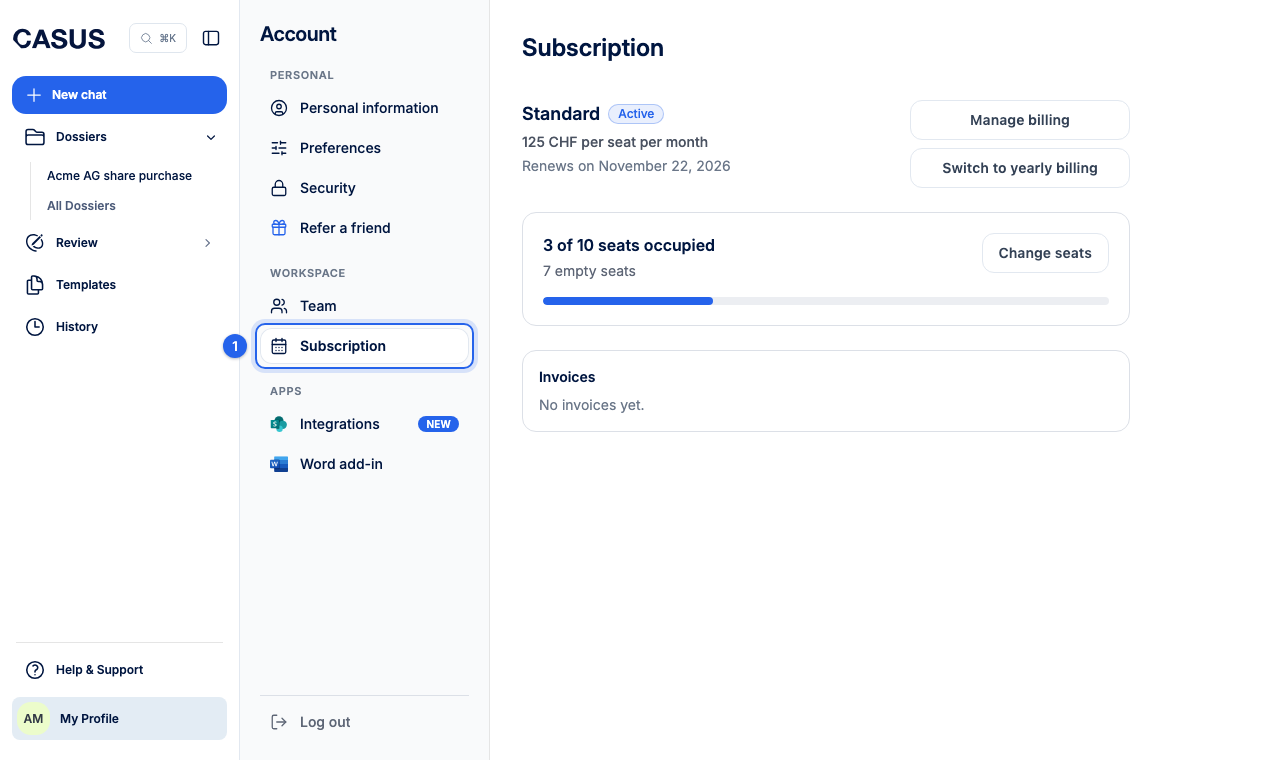
- 2Invoices shows the number, date and amount. Open invoice opens one, and you download it as a PDF there.
- 3For your card, address and VAT number, click Manage billing.
If it doesn't work
If an invoice is missing or something on it is wrong, write to us with the invoice number.
This might help too
Still have questions?
Email us: contact@getcasus.com