
Add seats
As an admin, you change the number of seats under Subscription. Extra seats apply at once and are charged pro rata for the rest of the period. Fewer seats apply from the next renewal.
At a glance
- You can't go below the number of occupied seats. Remove a member first.
- Cancel scheduled seat change undoes a planned reduction.
- You manage up to 200 seats online. For more, write to us.
- During the trial, seats are unlimited.
How it works
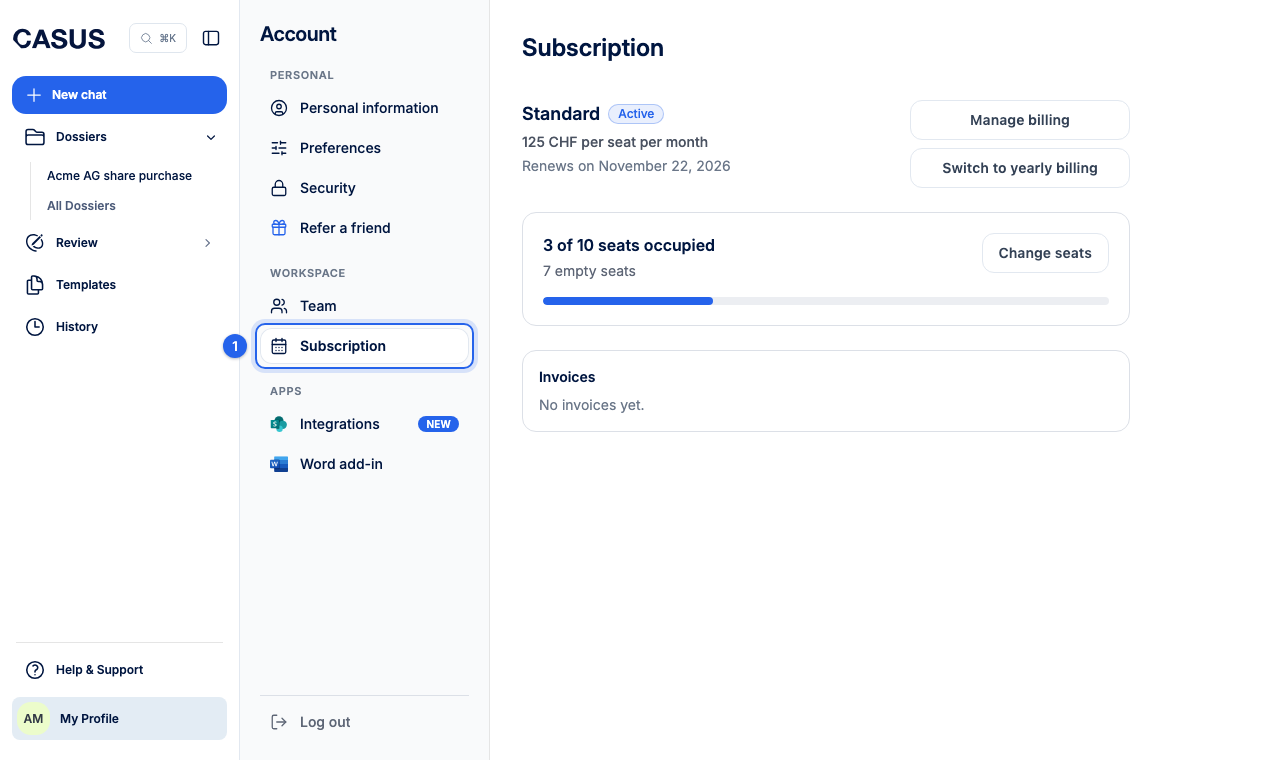
- 1In CASUS, open your account and, under Workspace, the Subscription page.
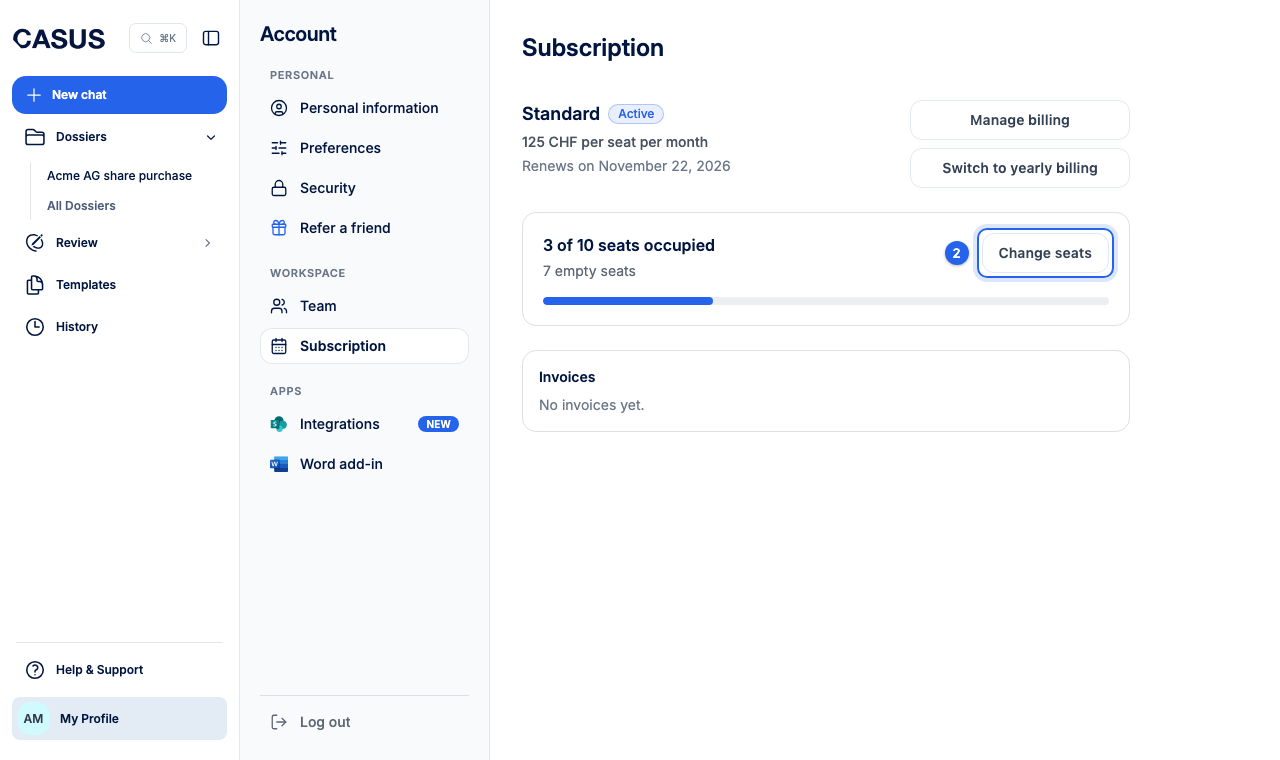
- 2Click Change seats.
- 3Enter the total you want under New seat total. CASUS shows what is Due now and what the next renewal costs.
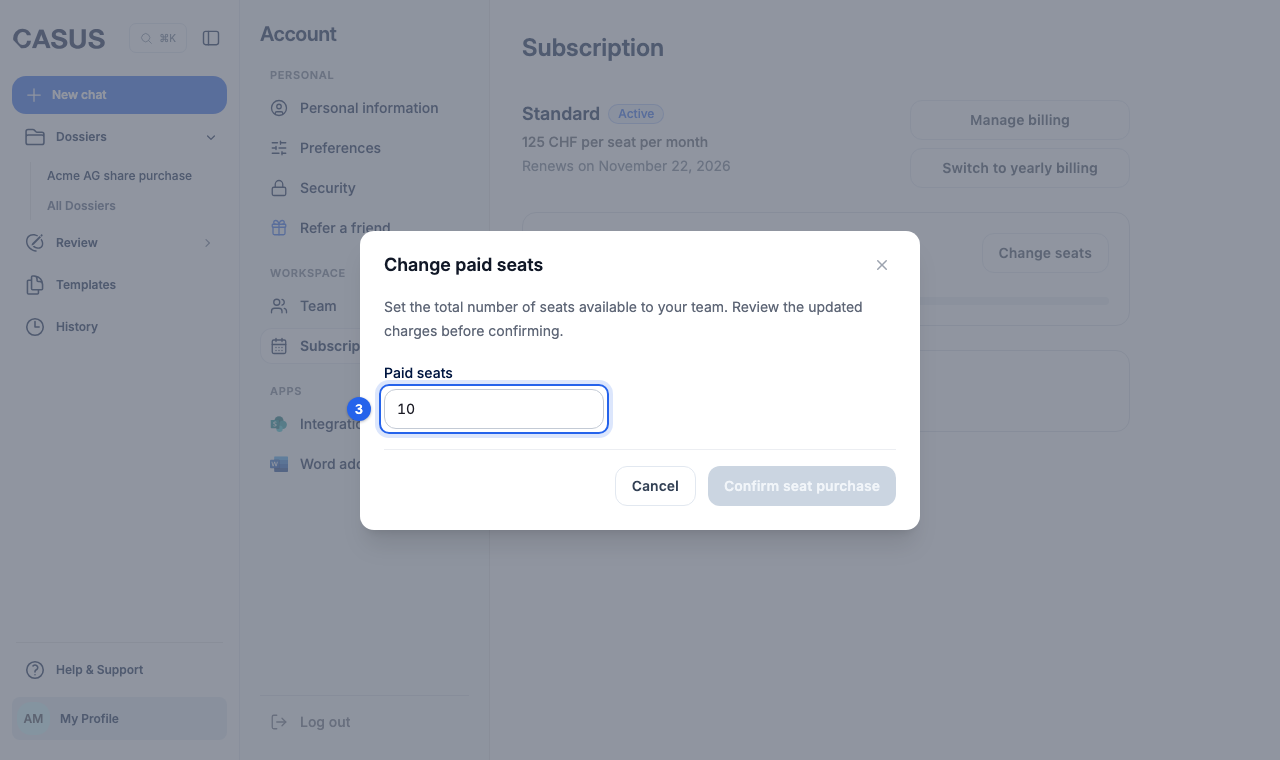
- 4Click Confirm seat purchase or, if you reduce, Schedule reduction.
If it doesn't work
If you don't see Change seats, you are not an admin or your workspace is billed through your organisation. Then write to us.
This might help too
Still have questions?
Email us: contact@getcasus.com