
Set roles in the team
The team has two roles: Admin and Member. Admins manage the team, subscription and invoices; members work with CASUS. A workspace can have several admins.
At a glance
- Admins invite people, change roles, remove members, manage seats, subscription and invoices, and see the audit log.
- Admins don't see other members' private Dossiers either.
- You can't change your own role.
- Every workspace needs at least one admin.
How it works
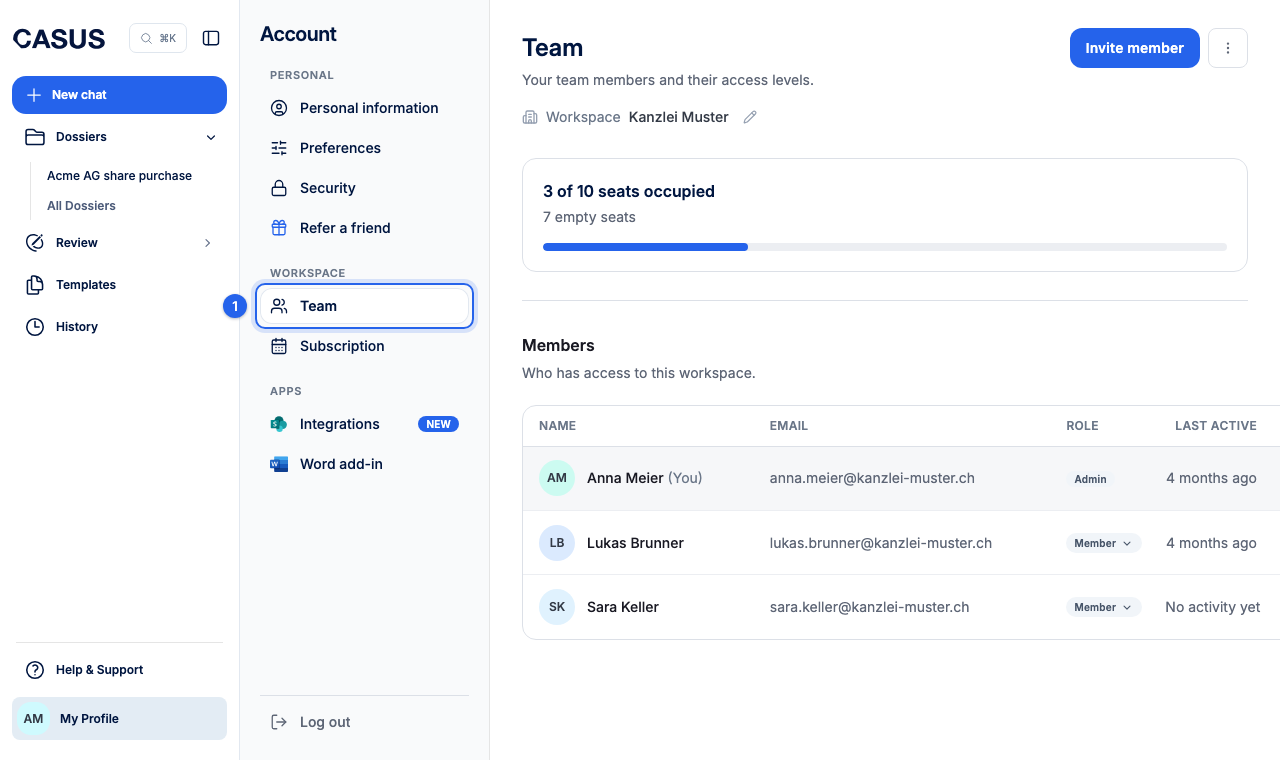
- 1In CASUS, open your account and, under Workspace, the Team page.
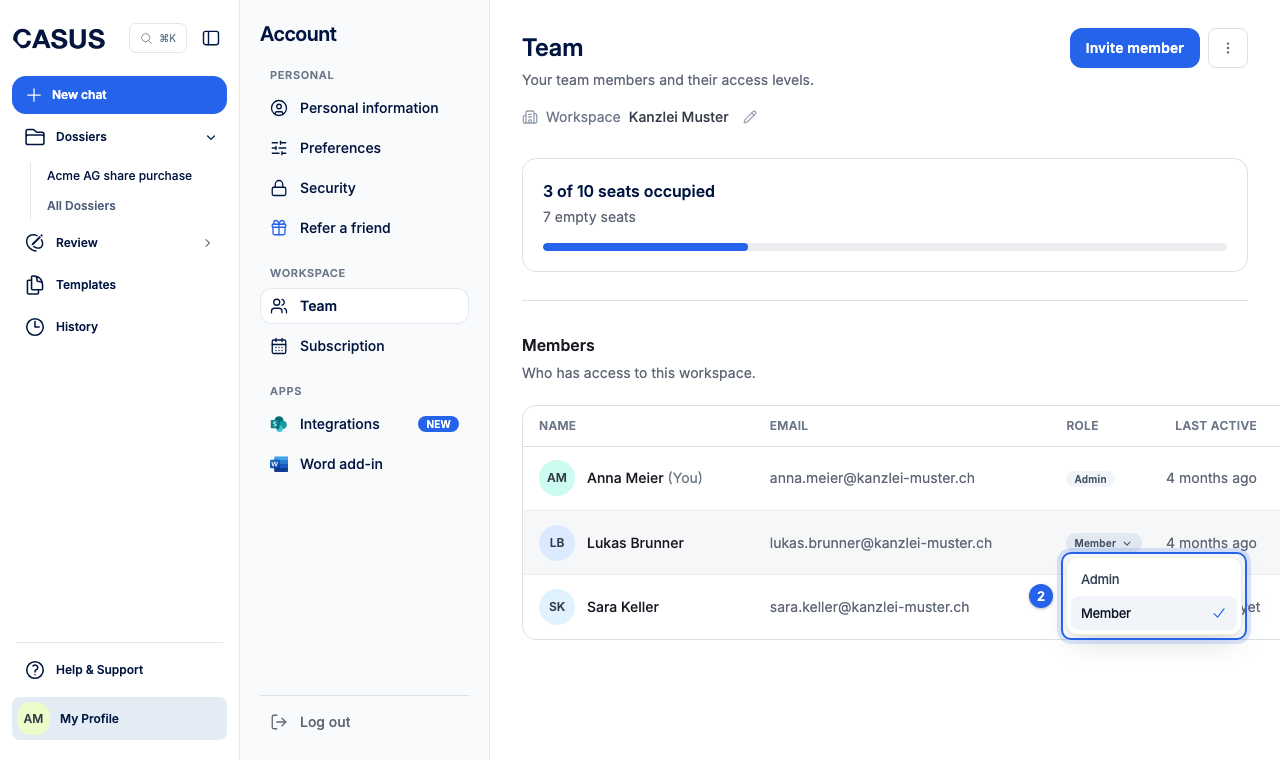
- 2Choose the role Admin or Member next to the person in the list.
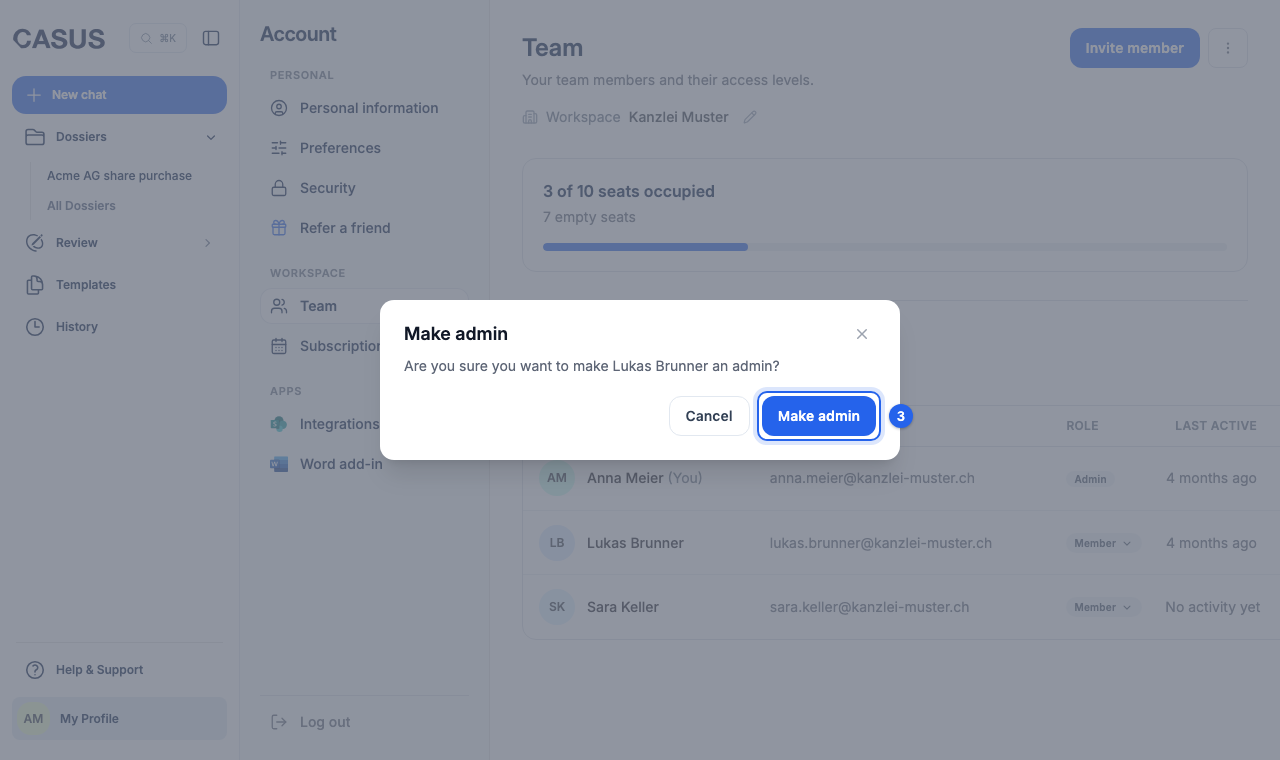
- 3Confirm the change.
If it doesn't work
If a role won't change, the person is probably the last admin. Make someone else an admin first.
This might help too
Still have questions?
Email us: contact@getcasus.com