
Connect SharePoint
You connect SharePoint once in your account and approve the access at Microsoft. After that you can link folders and files in any Dossier.
At a glance
- CASUS asks only for read access to your files.
- For members to connect, a workspace admin first switches on Allow Microsoft 365 for the team.
- If it asks you to reconnect your Microsoft account, sign in to Microsoft again through Integrations.
- You can withdraw the access completely in your Microsoft account under the apps that have access.
How it works
- 1In CASUS, open your account and, under Apps, the Integrations page.
- 2Switch on the SharePoint connection and sign in to Microsoft.
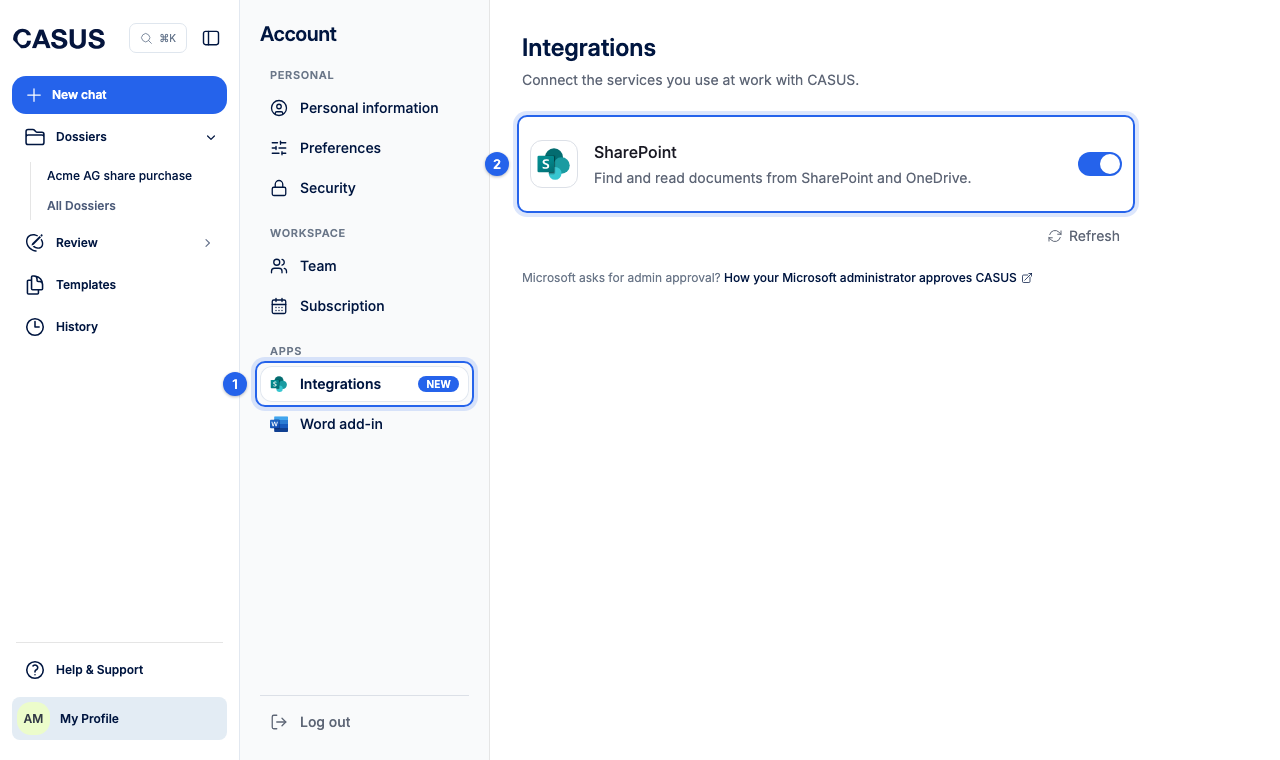
- 3Approve the access. The SharePoint switch then stays on.
If it doesn't work
If Microsoft says admin approval is required, see the article Get approval from your Microsoft admin.
This might help too
Still have questions?
Email us: contact@getcasus.com