
Invite your team
As an admin, you invite colleagues to your workspace by email. During the trial, invitations are unlimited and your bill does not change.
At a glance
- Invitees sign in with exactly the email address the invitation went to, and confirm it.
- The link is valid for 14 days.
- New people join as Member. You make them an admin afterwards in the list.
- Open invitations show as Pending in the list. Revoke takes one back. To send it again, revoke it and invite again.
- After the trial, every member needs a seat. An open invitation already takes one.
How it works
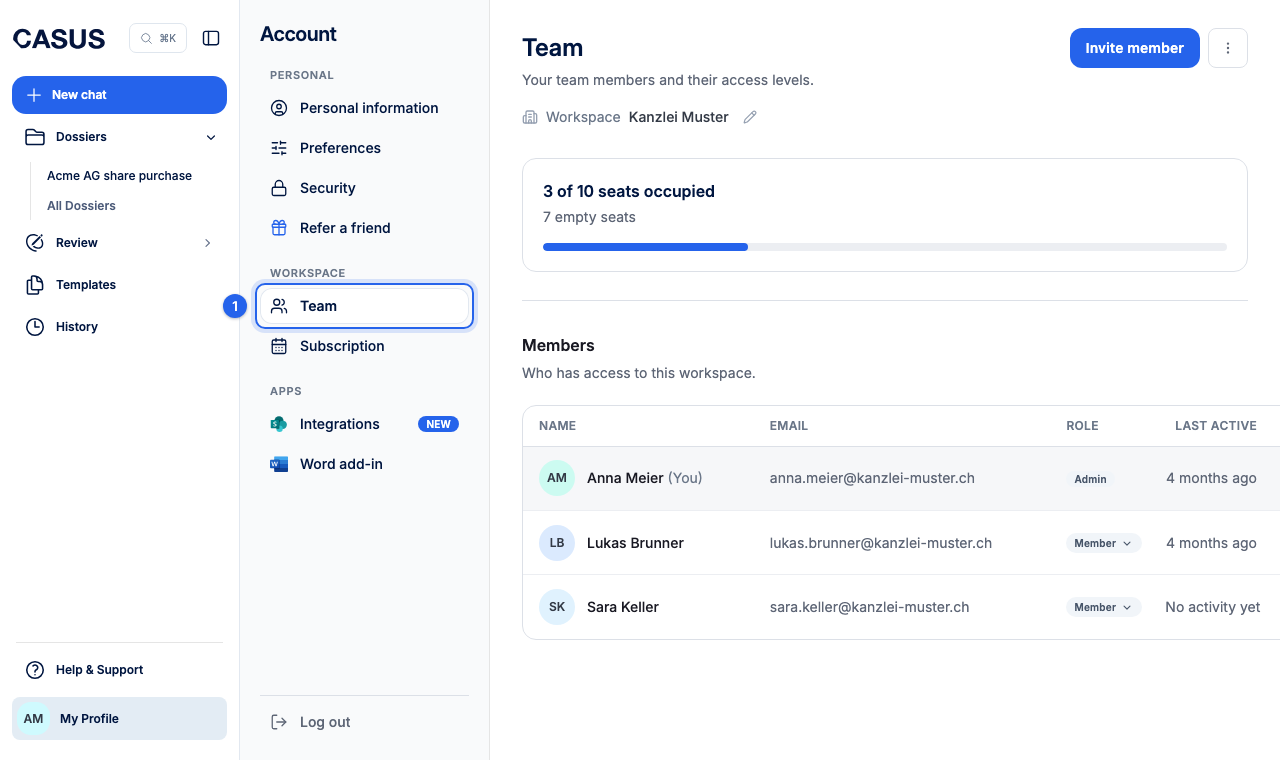
- 1In CASUS, open your account and, under Workspace, the Team page.
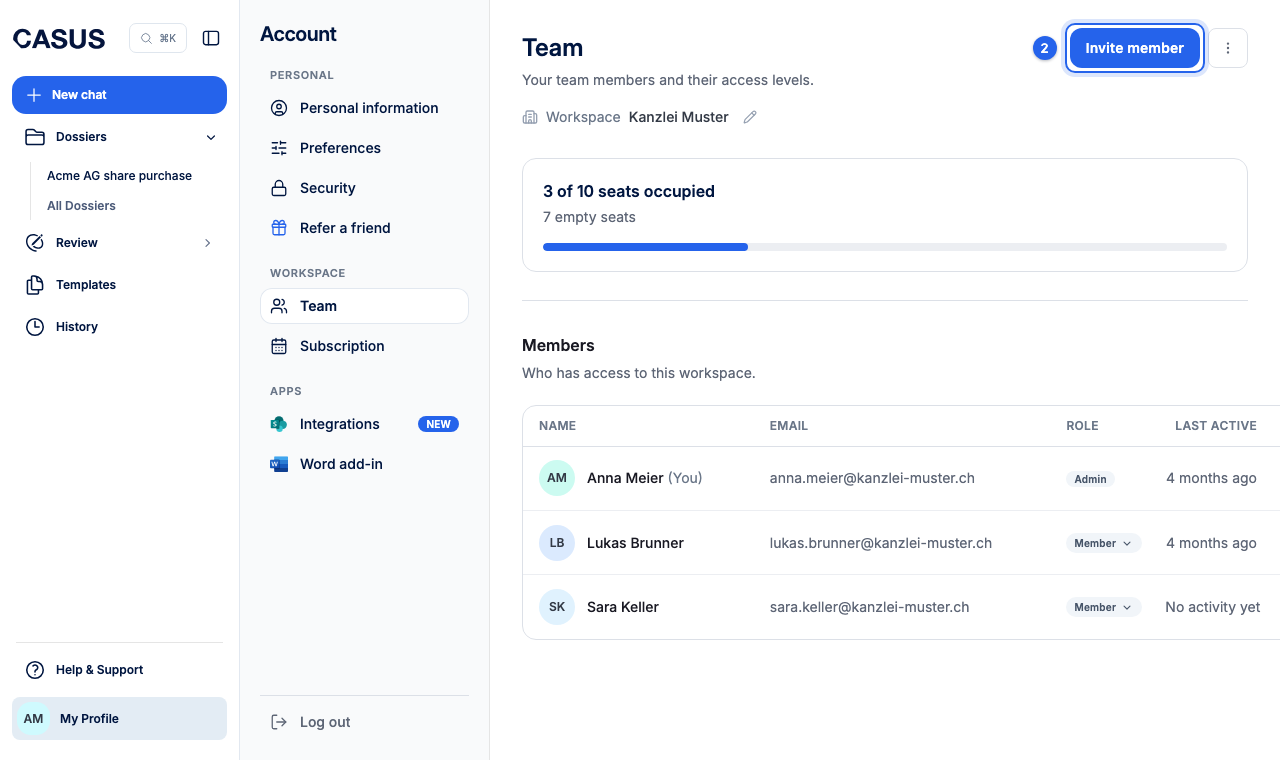
- 2Click Invite member. If you still work on your own, the button says Invite colleagues, and you confirm the workspace name first.
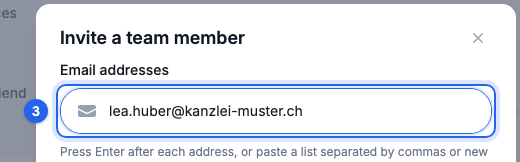
- 3Enter the email addresses. Press Enter after each one, or paste a whole list.
- 4Click Send invite. If the email doesn't arrive, send the link yourself with Copy invite link.
If it doesn't work
If you don't see a button to invite, you are not an admin. Ask an admin. If it says “There are no empty paid seats”, add a seat first or free one up.
This might help too
Still have questions?
Email us: contact@getcasus.com