
Dictate a question
Instead of typing, you speak your question. CASUS writes it into the input field, and you send it yourself. This works in the browser chat and in Word.
At a glance
- CASUS processes the recording itself in Zurich. Neither audio nor text is stored.
- Swiss German is written as Standard German.
- Abbreviations such as “OR” can come out wrong. Check them before sending.
- In Word for Mac, allow Word to use the microphone in System Settings under Privacy & Security. In Word on the web, close CASUS after the first approval and open it again.
How it works
- 1Click Dictate in the input field and allow microphone access.
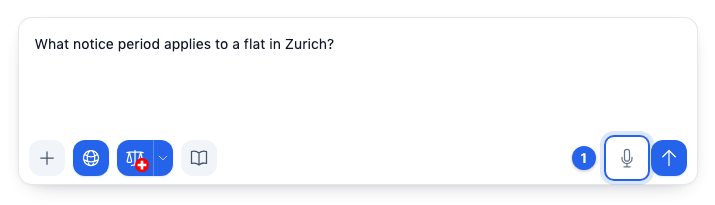
- 2Speak your question. A recording lasts up to 5 minutes.
- 3Click Stop dictation and insert the text. Check the text and send it.
If it doesn't work
If you don't see a Dictate button, the feature isn't switched on for you yet. If it says no speech was detected, check that the right microphone is selected.
This might help too
Still have questions?
Email us: contact@getcasus.com