
Set your legal sources
For every search you choose the country and the sources CASUS searches. You set your default choice once in your preferences.
At a glance
- Switzerland: Federal Supreme Court, cantonal courts, Liechtenstein and, if you like, Swiss laws.
- Germany, Austria, Italy, France and Spain have their own courts and sources to choose from.
- EU sources with case law, laws and authorities are available everywhere except Switzerland. They are on from the start.
- If you change the jurisdiction, all sources are selected again.
- In Word, CASUS uses the jurisdiction from your account.
How it works
- 1In CASUS, open your account and, under Personal, Preferences.
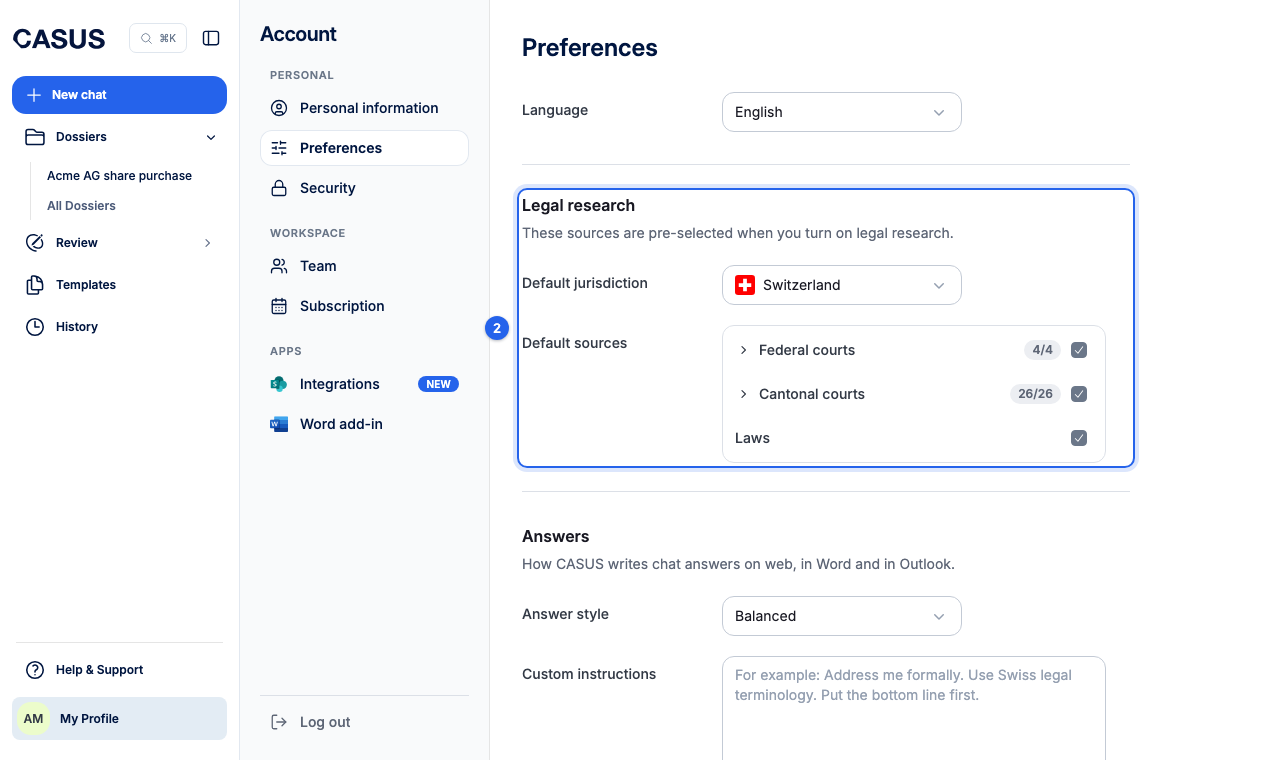
- 2Under Legal research, choose the Default jurisdiction and the Default sources. CASUS saves each change at once.
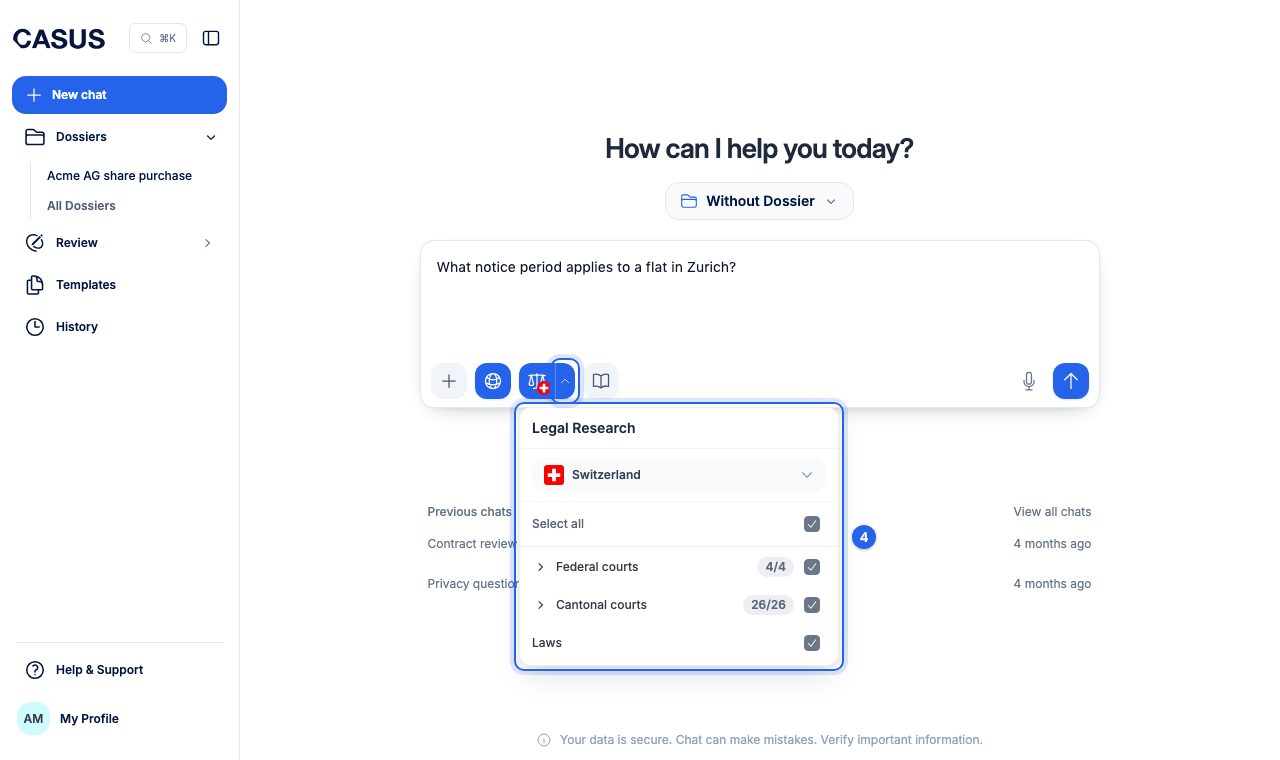
- 3Switch on Legal Research in the chat. Your default sources are then preselected.
- 4To search differently for one question, open the source choice with the arrow next to the scales icon.
If it doesn't work
If a source is missing, write to us which one you need.
This might help too
Still have questions?
Email us: contact@getcasus.com