
Bring in files from SharePoint
In a Dossier you link folders or files from SharePoint and OneDrive. CASUS reads them, and every question in the Dossier can use them. The originals stay where they are.
At a glance
- Up to 50 linked folders or files, up to 500 documents per scan, each up to 5 MB.
- Refresh makes CASUS check whether anything changed in SharePoint.
- If you share the Dossier, each person sees only the linked files they may read in Microsoft 365 themselves.
How it works
- 1Connect SharePoint once in your account; see Connect SharePoint.
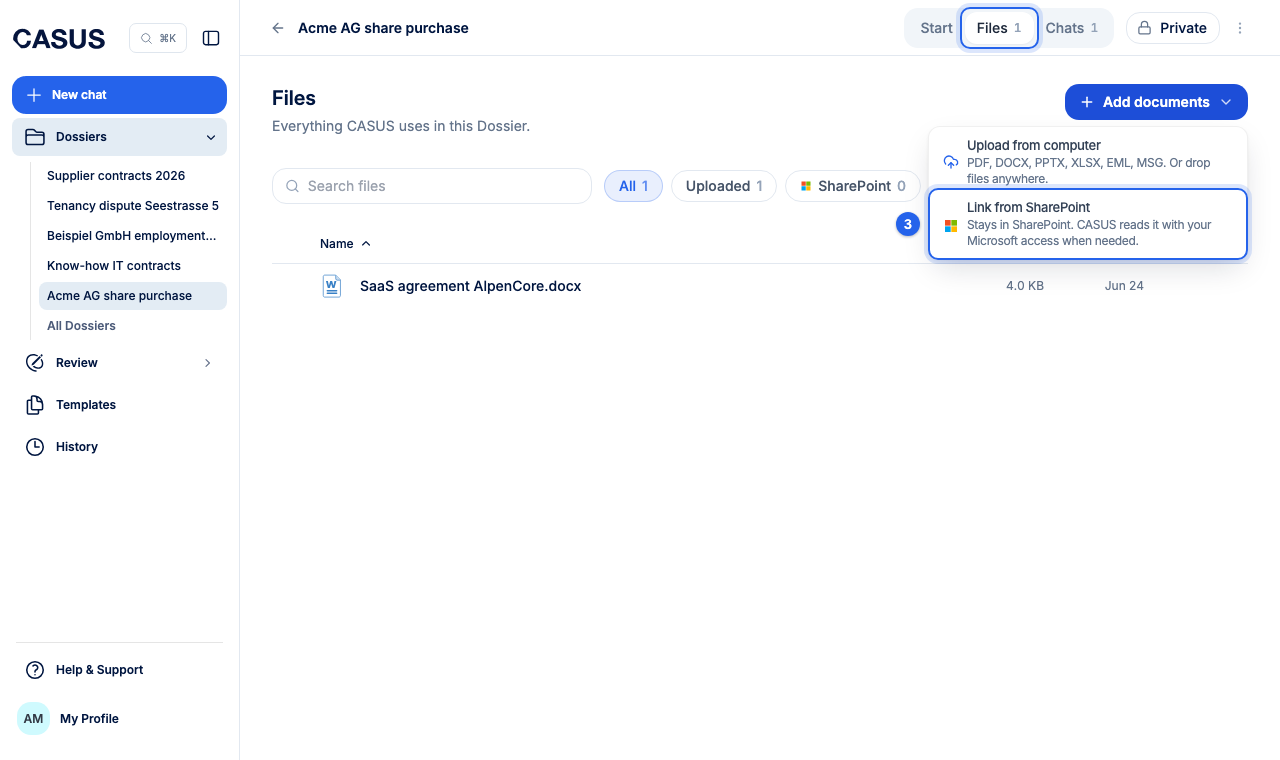
- 2Open the Dossier and go to Files.
- 3Click Add documents, then Link from SharePoint, and choose folders or files.
- 4Wait until CASUS has read the documents. Then you can ask questions.
If it doesn't work
If it says the file can't be read, it is too large or in a format CASUS doesn't read. Upload it to the Dossier directly instead, where up to 100 MB works.
This might help too
Still have questions?
Email us: contact@getcasus.com