
Remove a member from the team
As an admin, you remove a member in the team list. Their access ends at once, and shared Dossiers stay in the workspace. For their private content, you choose whether it is archived or deleted.
At a glance
- The account is disabled and signed out everywhere.
- The seat becomes free, but the number of paid seats stays the same. You can reduce it under Change seats.
- Only admins see archived content, read-only, in the archive of removed members.
- Removing someone can't be undone.
How it works
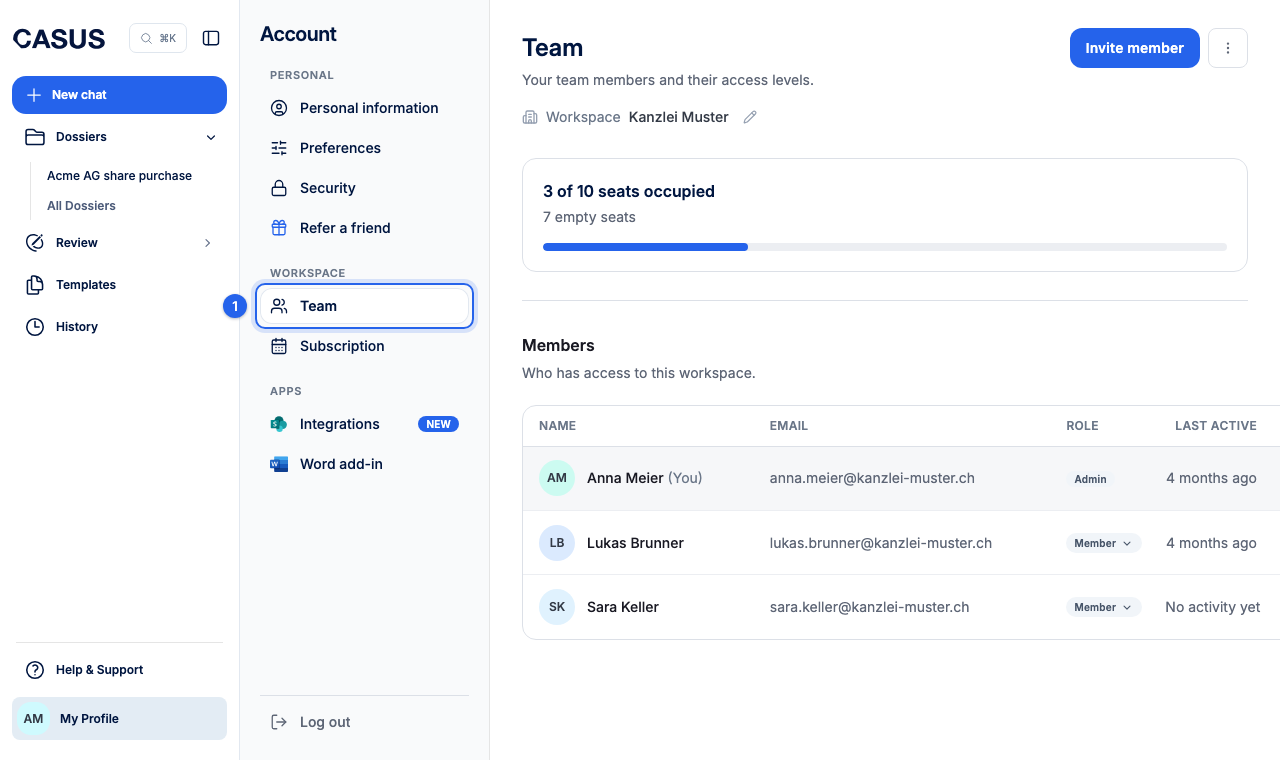
- 1In CASUS, open your account and, under Workspace, the Team page.
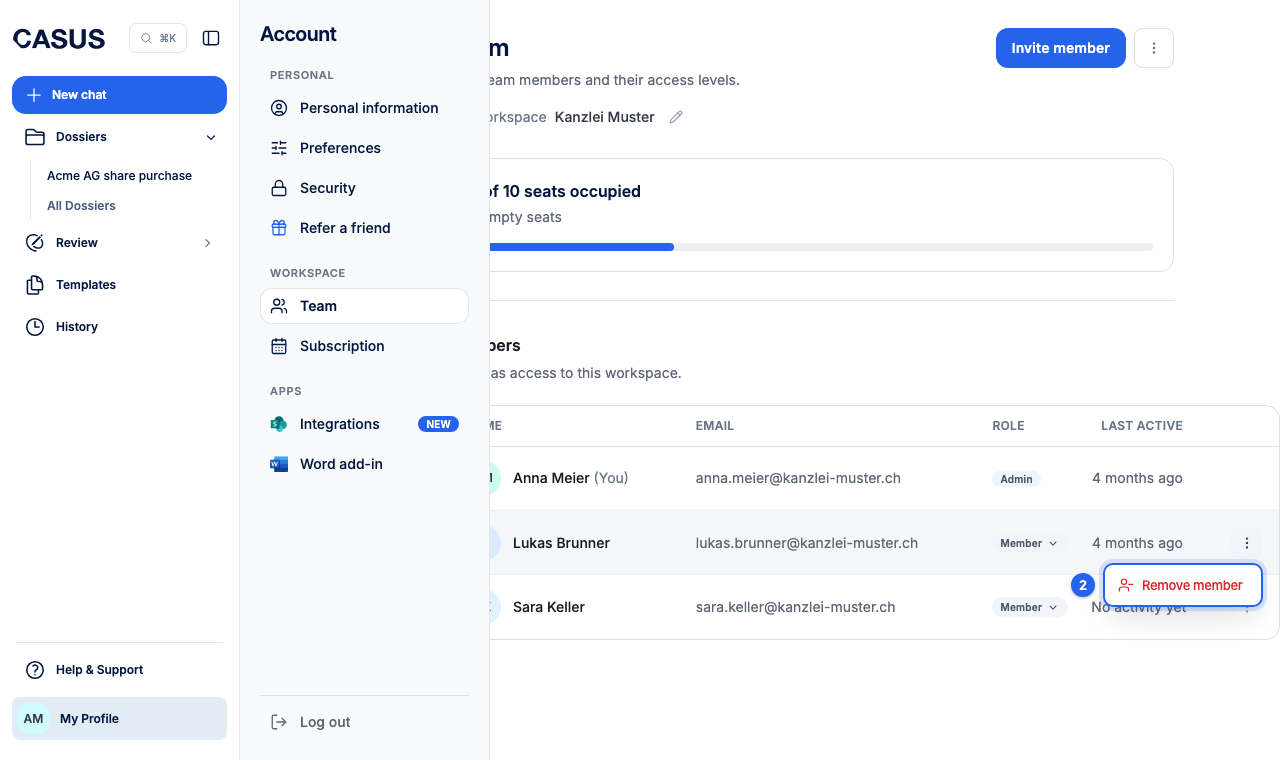
- 2Open More actions next to the person and click Remove member.
- 3Choose whether to archive their unshared content or delete it.
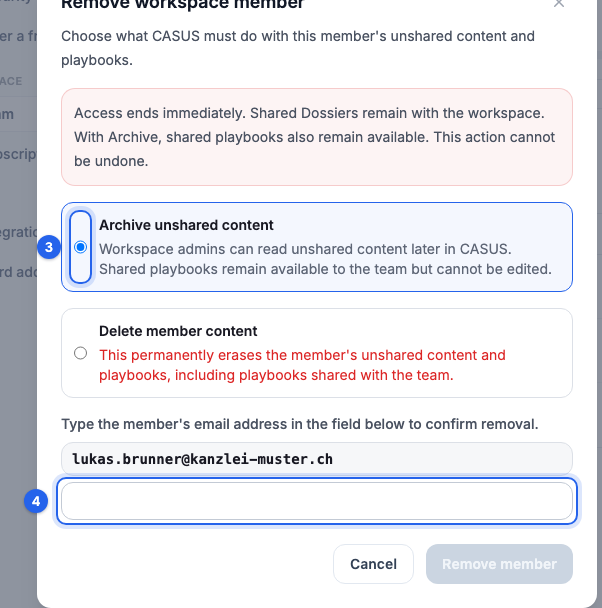
- 4Type the person's email address to confirm and click Remove member.
If it doesn't work
If the person is the last admin, make someone else an admin first.
This might help too
Still have questions?
Email us: contact@getcasus.com