
Benchmark: check a contract against your standard
Benchmark measures a contract against your own standard, a playbook. For each clause, CASUS shows whether the contract matches and suggests wording where it doesn't.
At a glance
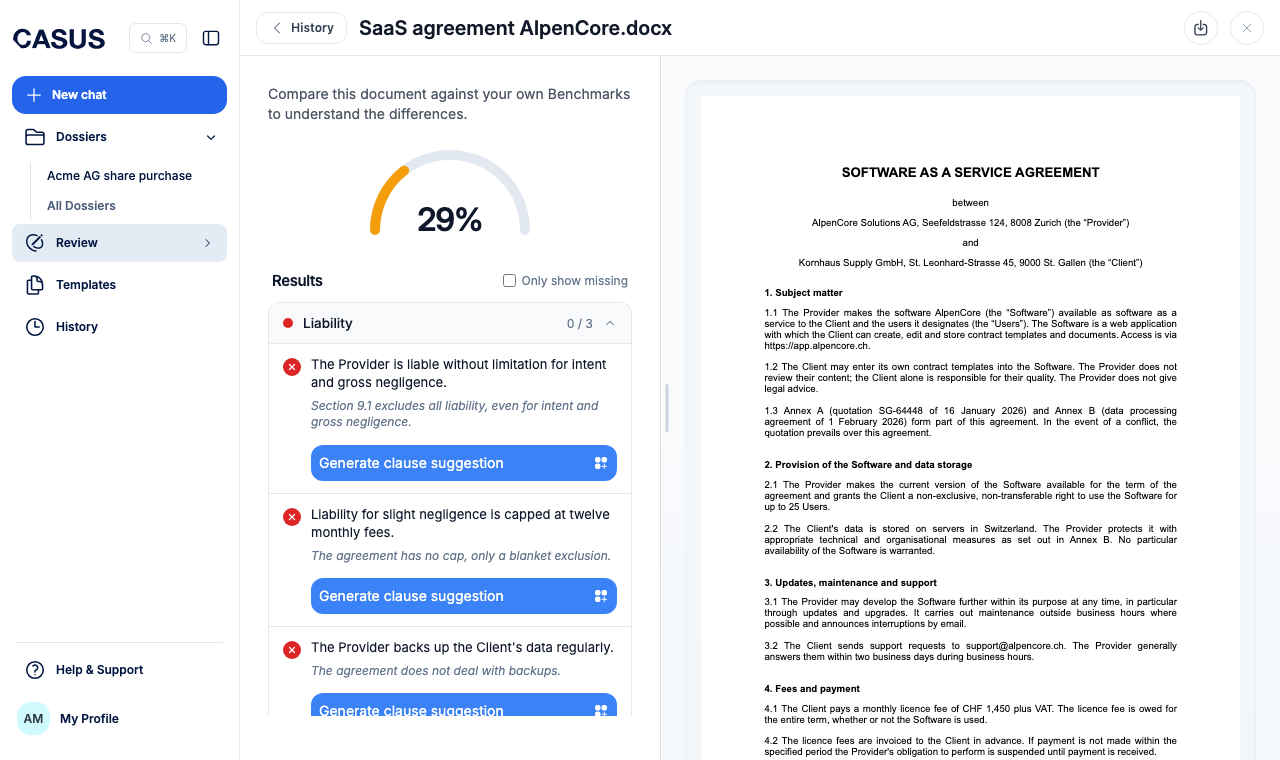
- A gauge at the top shows what percentage of the contract fits the playbook.
- A green tick means it matches, a red cross that it is missing or differs.
- You choose your own playbooks or your team's. You can only create a playbook in the browser.
How it works
- 1Click Review in the sidebar, then Benchmark.
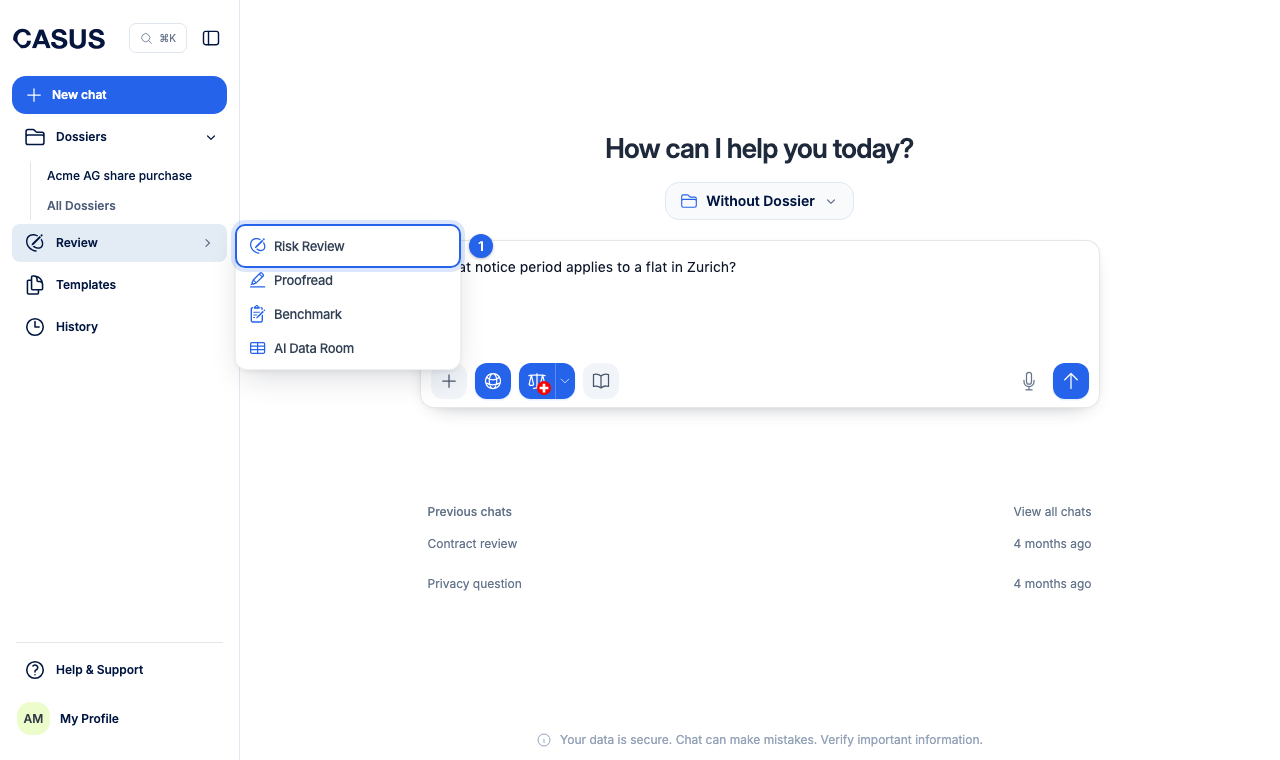
- 2Upload the contract as PDF or DOCX, or pick a document from the list.
- 3Choose a playbook under Benchmark against:. If you have none yet, click or create a new one.
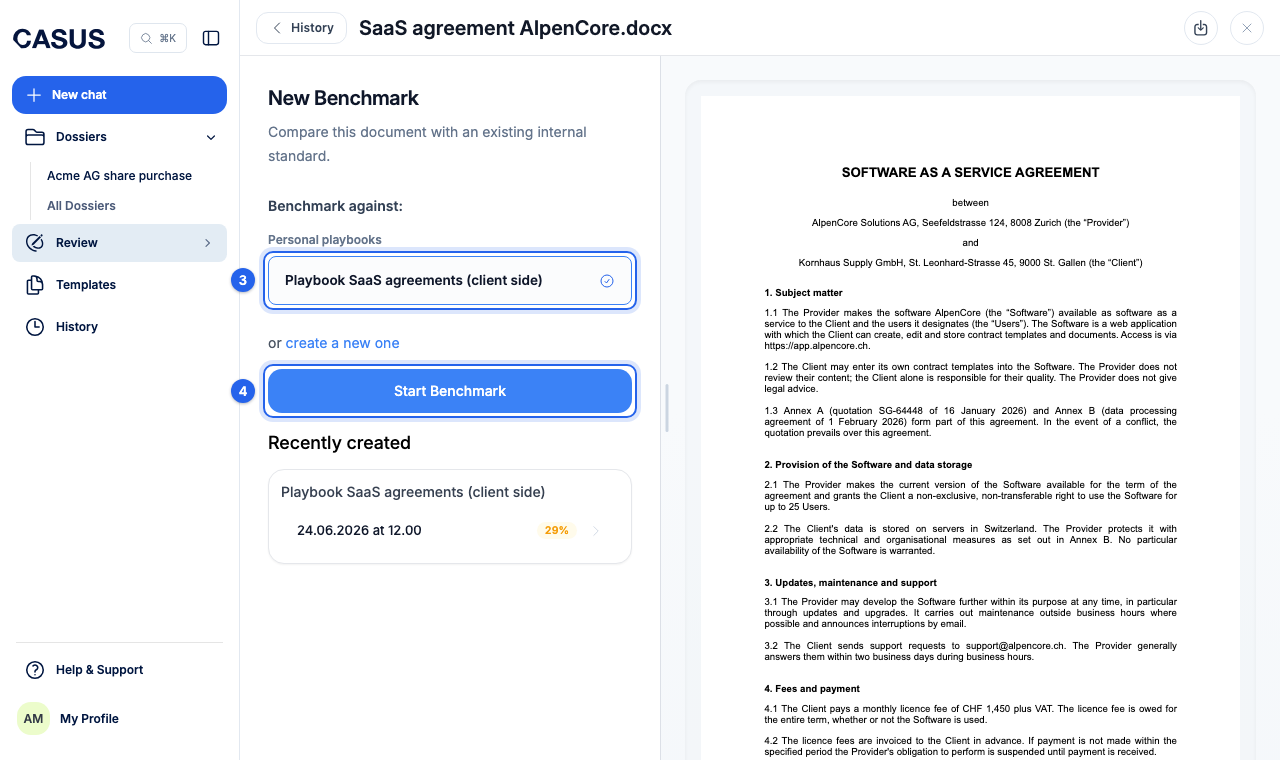
- 4Click Start Benchmark.
- 5Only show missing shows only what doesn't fit. On a clause that differs, click Generate clause suggestion.
If it doesn't work
If it says no playbooks are available, create one first. The article Set up a standard for Benchmark explains how.
This might help too
Still have questions?
Email us: contact@getcasus.com