
Risk Review: review a contract for your party
Risk Review goes through a contract section by section from your party's point of view. It flags risky clauses and suggests wording that protects your party. For that you pick the party you act for; if it is missing from the list, you add it.
At a glance
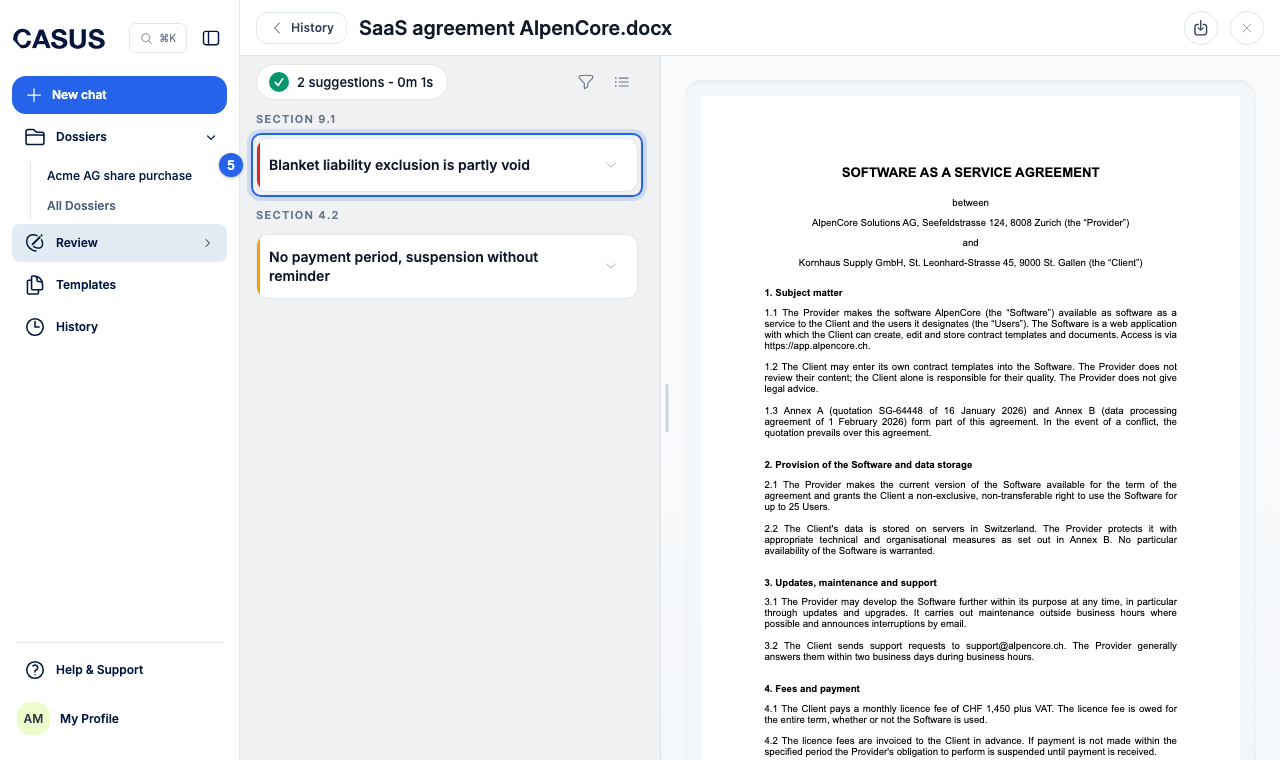
- Each suggestion has a title, a reason and the proposed text, which you can adjust before taking it.
- The coloured edge shows the severity: high, medium or low. Risk Review leaves out trivia.
- Risk Review never suggests anything that helps the other side.
- If you see the choice between Default and Deep, Deep reviews more thoroughly and takes longer.
- You find earlier reviews in the browser under History with the Reviews filter, and in Word under Previously generated.
- In Word, only one review runs per document at a time.
How it works
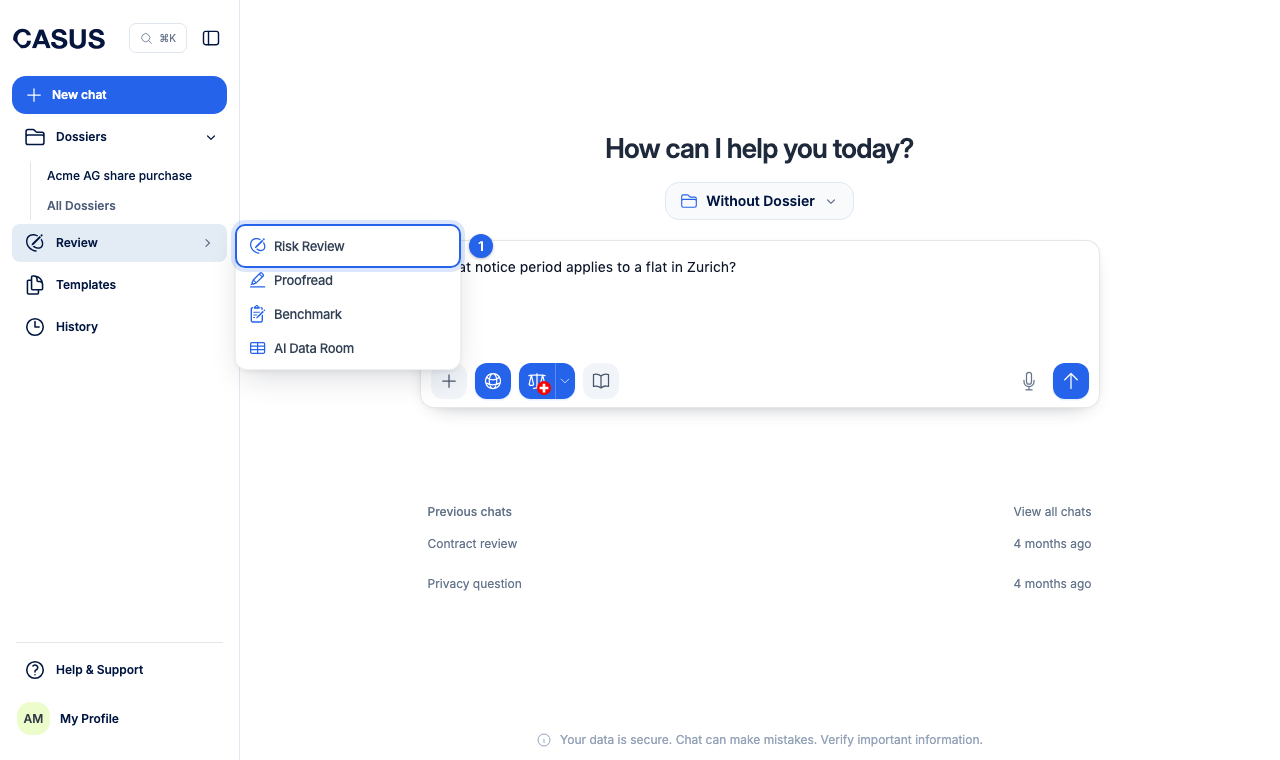
- 1Click Review in the sidebar, then Risk Review.
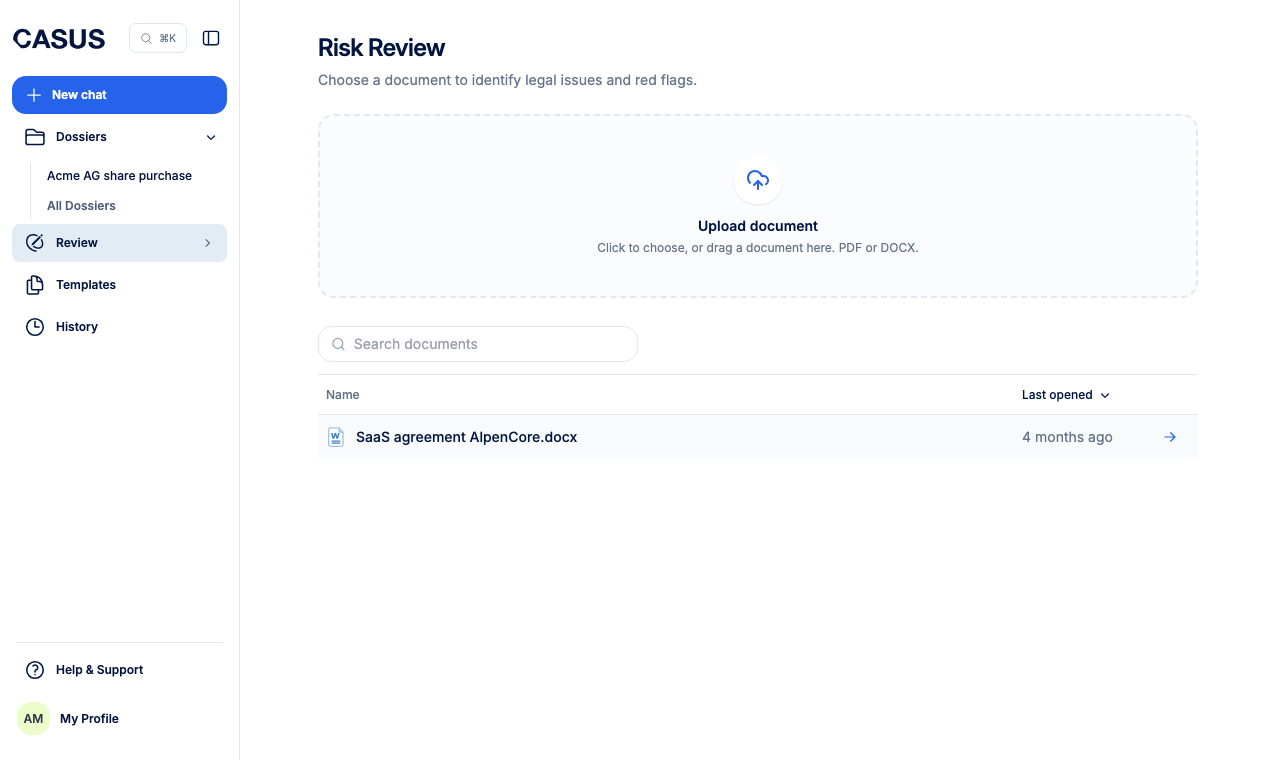
- 2Upload the contract as PDF or DOCX, or pick a document from the list.
- 3Choose the party you act for. Under Context (optional), describe what matters, such as your negotiating position.
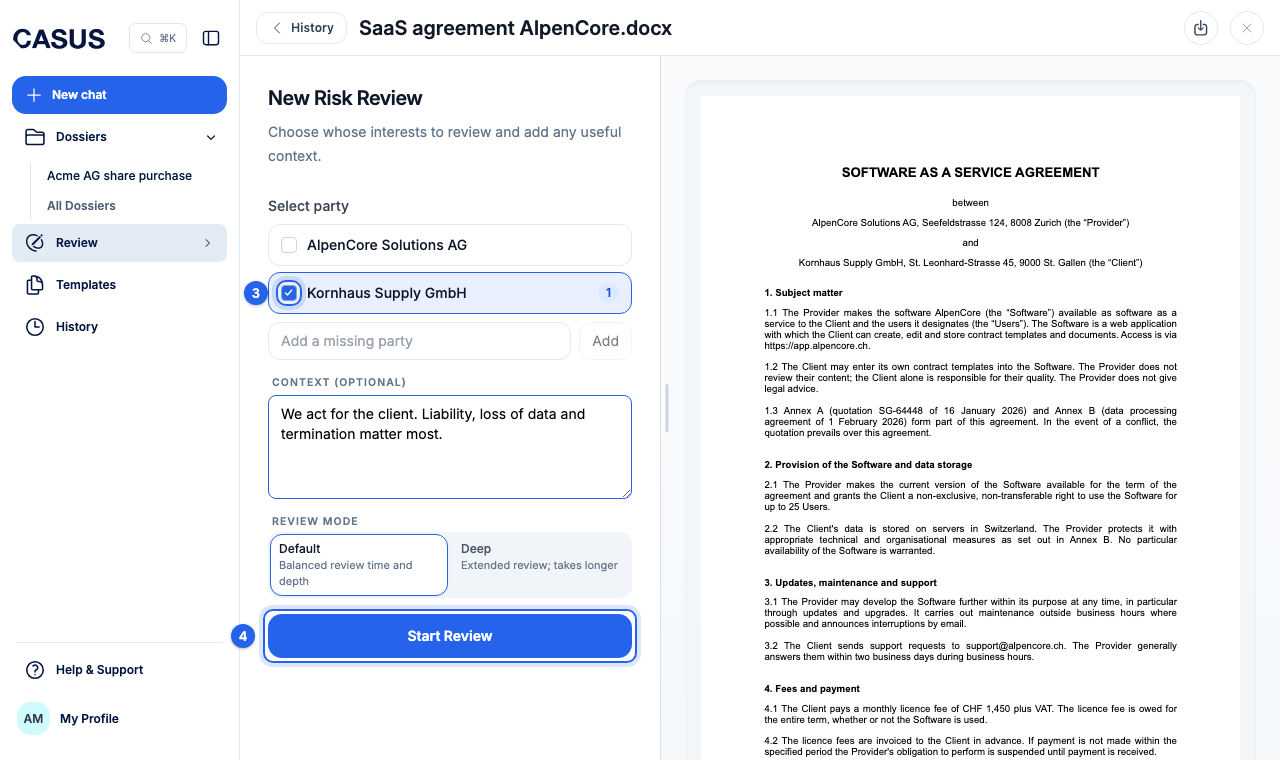
- 4Click Start Review. You can keep working in the meantime.
If it doesn't work
If the suggestions don't fit, check that the right party is chosen and add context. Emails can't be reviewed, only PDF and DOCX. If the CASUS button in Word is grey, see the article Why is the button in Word greyed out?.
This might help too
Still have questions?
Email us: contact@getcasus.com