
Proofread: find errors
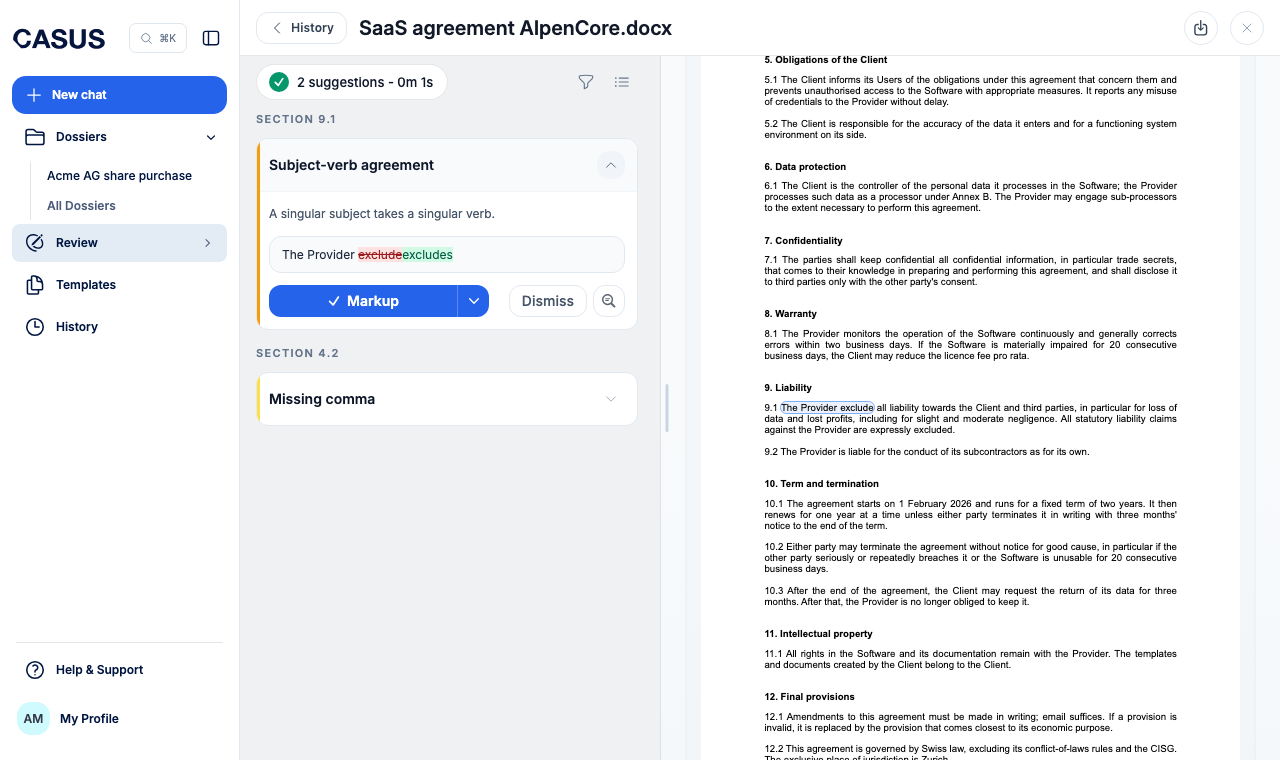
Proofread first looks for errors that change what a contract means: wrong references and definitions, contradictions and unclear passages. Typos and grammar come next. You apply each correction with one click.
At a glance
- Each card holds exactly one correction.
- Proofread leaves out spacing and similar trivia.
- You apply corrections as in Risk Review; see Read results and apply suggestions.
How it works
- 1Click Review in the sidebar, then Proofread.
- 2Upload the document as PDF or DOCX, or pick one from the list.
- 3Describe any special requirements under Context (optional), such as your house style, or leave it empty.
- 4Click Start Proofread and go through the corrections.
If it doesn't work
If Proofread finds too little, describe in the context what it should look for and start again.
This might help too
Still have questions?
Email us: contact@getcasus.com