
Why can't I see my Dossiers?
Usually it is one of three reasons: the sidebar shows only your five most recent Dossiers, the Dossier wasn't shared with you, or it belongs to an earlier workspace.
At a glance
- Dossiers shared in an earlier workspace no longer show once you have moved.
- When you join a workspace, your existing Dossiers are not shared automatically.
- A deleted Dossier is gone for good, with all its files and chats. Only its owner can delete it.
- Word shows the same Dossiers as the browser.
How it works
- 1Click All Dossiers in the sidebar. It lists every Dossier you have access to.
- 2Check the filter at the top. All shows everything, Private only your own, Team the shared ones. Use Search Dossiers to find one by name.
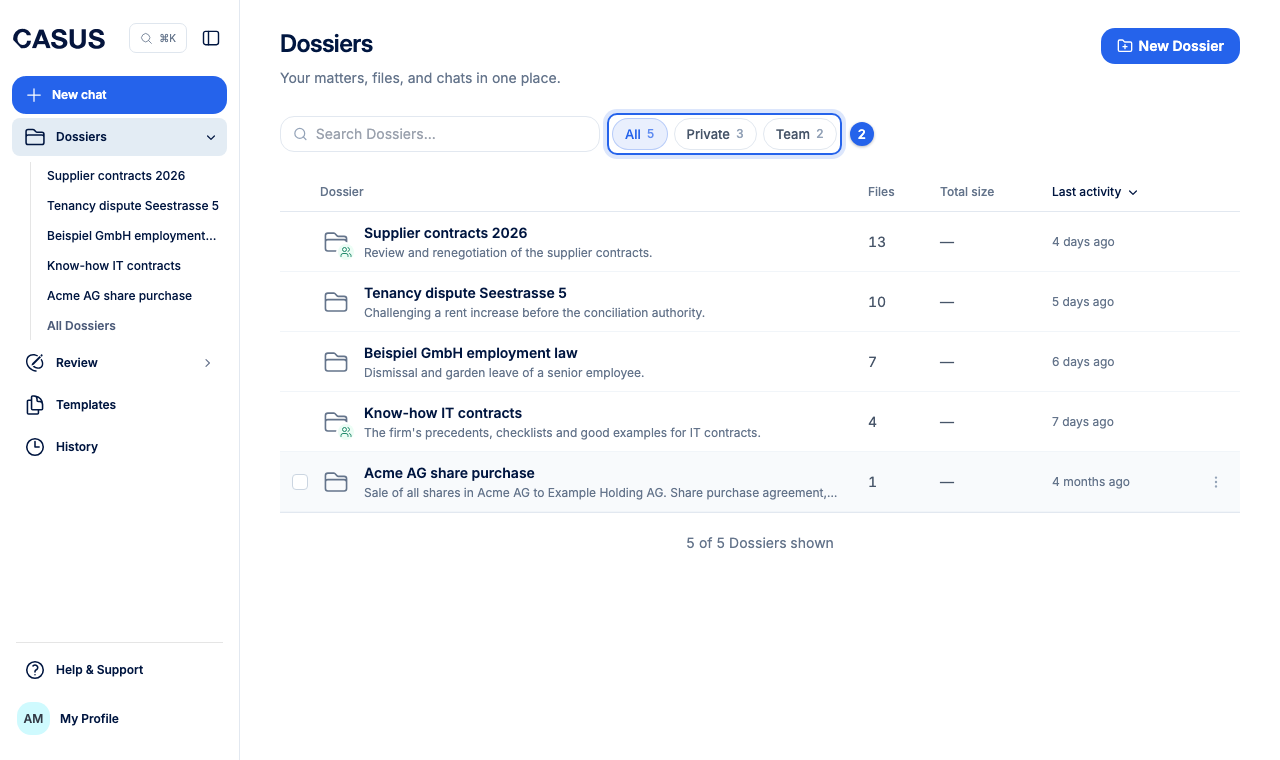
- 3If it is still missing, ask the person who created it whether they shared it with you. Only they see a new Dossier at first.
If it doesn't work
If a Dossier you are sure you had is missing, write to us and tell us its name.
This might help too
Still have questions?
Email us: contact@getcasus.com