
Anonymise a document
CASUS replaces names, companies and other details in the document, for example with “[Person 1]”. Before replacing, you see each place and decide what gets replaced.
At a glance
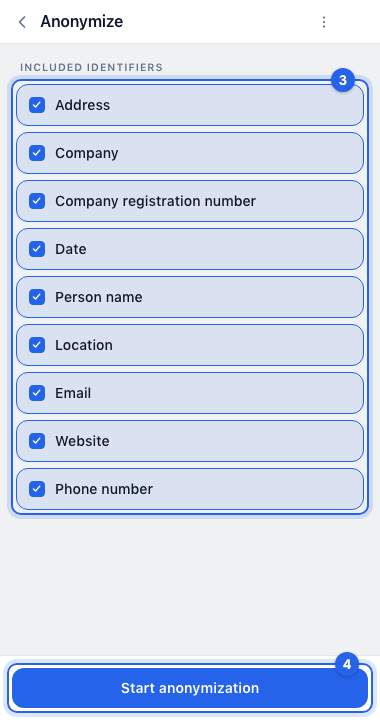
- You can replace addresses, companies, company registration numbers, dates, person names, locations, email addresses, websites and phone numbers.
- CASUS doesn't cover headers, footers and text boxes. Check them yourself.
- CASUS doesn't store which placeholder stands for which name. If you need that, keep the copy of the original.
How it works
- 1Save a copy first, because CASUS changes the open document.
- 2Open CASUS in Word, switch to Actions and click Anonymize.
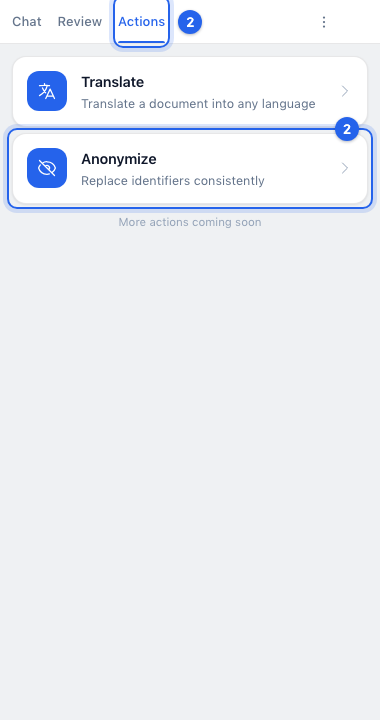
- 3Under Included identifiers, choose what should be replaced. Everything is selected at first.
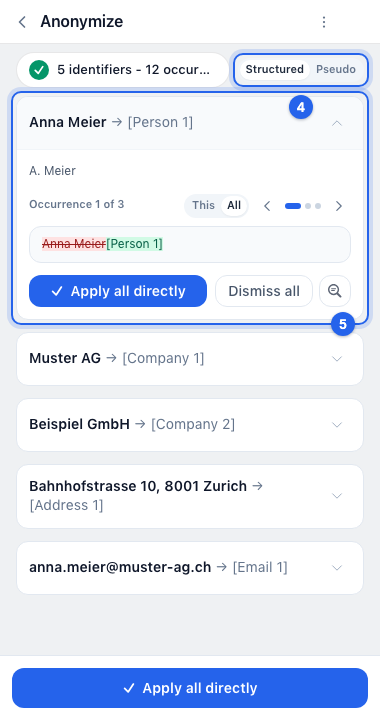
- 4Click Start anonymization. Then, at the top of the result, choose Structured for placeholders like “[Person 1]” or Pseudo for made-up, realistic details.
- 5Check the replacements, one card per person or detail. To leave out single places, open the card, choose This and dismiss the place with ×.
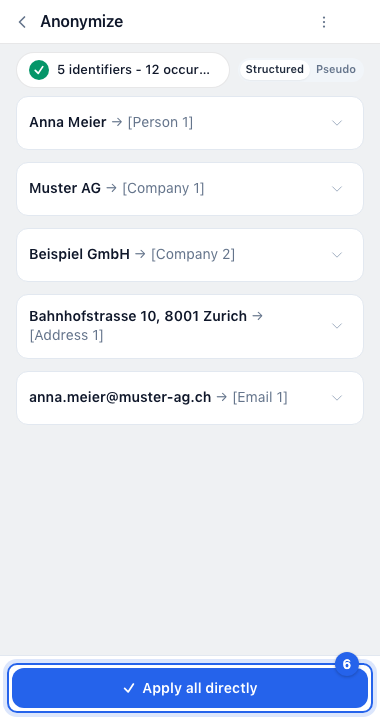
- 6Click Apply all directly.
If it doesn't work
If the document only allows tracked changes, CASUS can't anonymise it. Save a copy without that protection and try there.
This might help too
Still have questions?
Email us: contact@getcasus.com