
Change an existing document and stay in control
If you ask CASUS for a change in the chat, it appears as a card. With Markup it lands in the document as a tracked change under your name. You then accept or reject it in Word as usual.
At a glance
- Dismiss leaves a suggestion out, Revert undoes a change you took.
- Markup all takes several suggestions at once.
- If the document is empty, CASUS writes the draft straight into it.
How it works
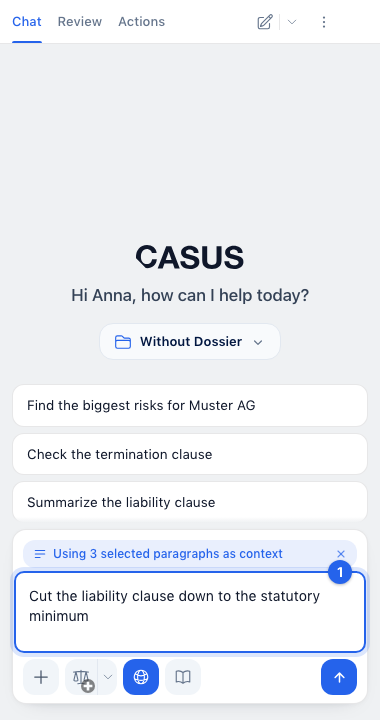
- 1Describe in the chat what should change, for example “Cut the liability clause down to the statutory minimum”.
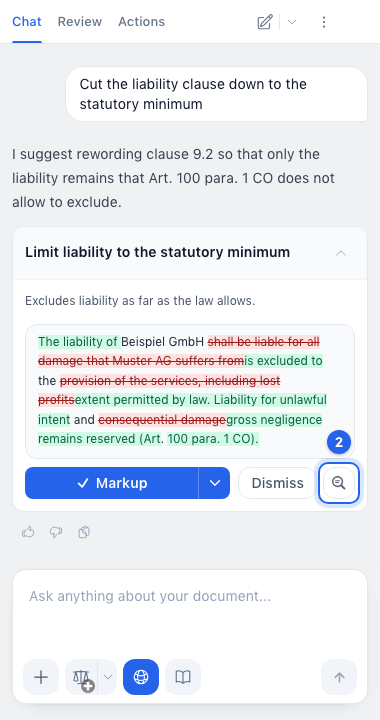
- 2Click the card's title to open it. CASUS jumps to the place, and the magnifier (Locate) shows it to you again at any time.
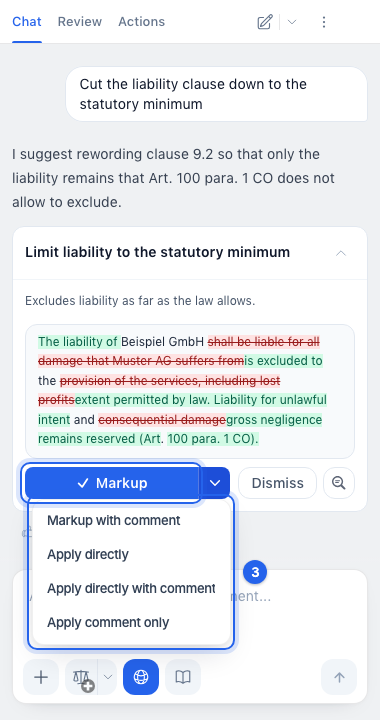
- 3Click Markup. The arrow next to it (More apply options) also offers Apply directly or Apply comment only.
- 4Check the change in Word under Review and accept or reject it.
If it doesn't work
If a suggestion won't apply, see the article A suggestion won't apply.
This might help too
Still have questions?
Email us: contact@getcasus.com